![Visual reference from Desperados 3 Let's Play Gameplay Walkthrough Pt 1 Prologue & Byers Pass [1440p w/ Commentary] at 2:38-2:42](/published/media/desperados-3/source-322-preview-a13d7e64e8.jpg)

Cutscene Subtitles And Skip Prompt

Desperados 3
- Status
- Released
- Year
- 2020
- Genre
- Strategy
- Platforms
- Windows, macOS, Linux
1. Summary
Non-diegetic cutscene overlay that displays spoken dialogue as bottom-centered subtitles and exposes a compact `SKIP SPACE` prompt during skippable cinematics. The element keeps story text and skip affordance outside the game world while preserving the cinematic view.
Overview
The cutscene subtitle and skip overlay is a minimal, bottom-centered cinematic UI layer. It keeps narrative playback visually dominant while placing readable text controls in the lower letterbox area.
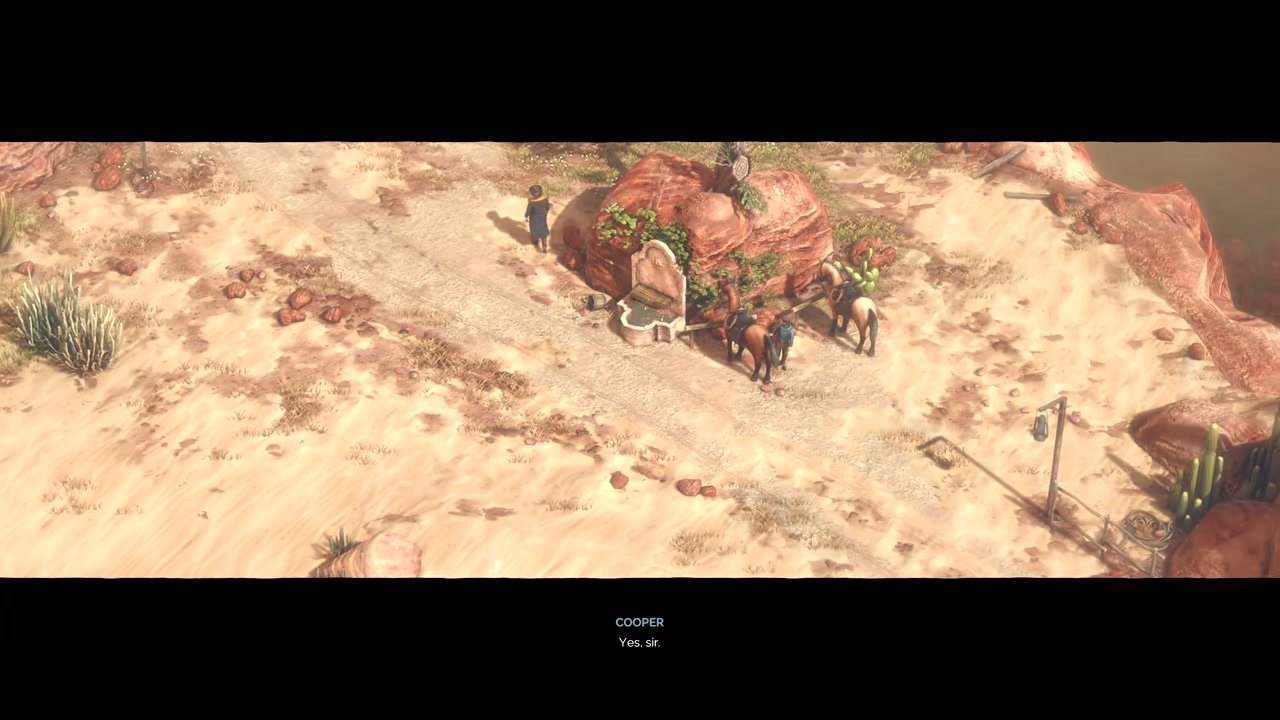
In live cutscene playback, subtitles use a compact two-line stack: the speaker name appears above the spoken line. The observed example shows COOPER over Yes, sir. centered below the cinematic image.

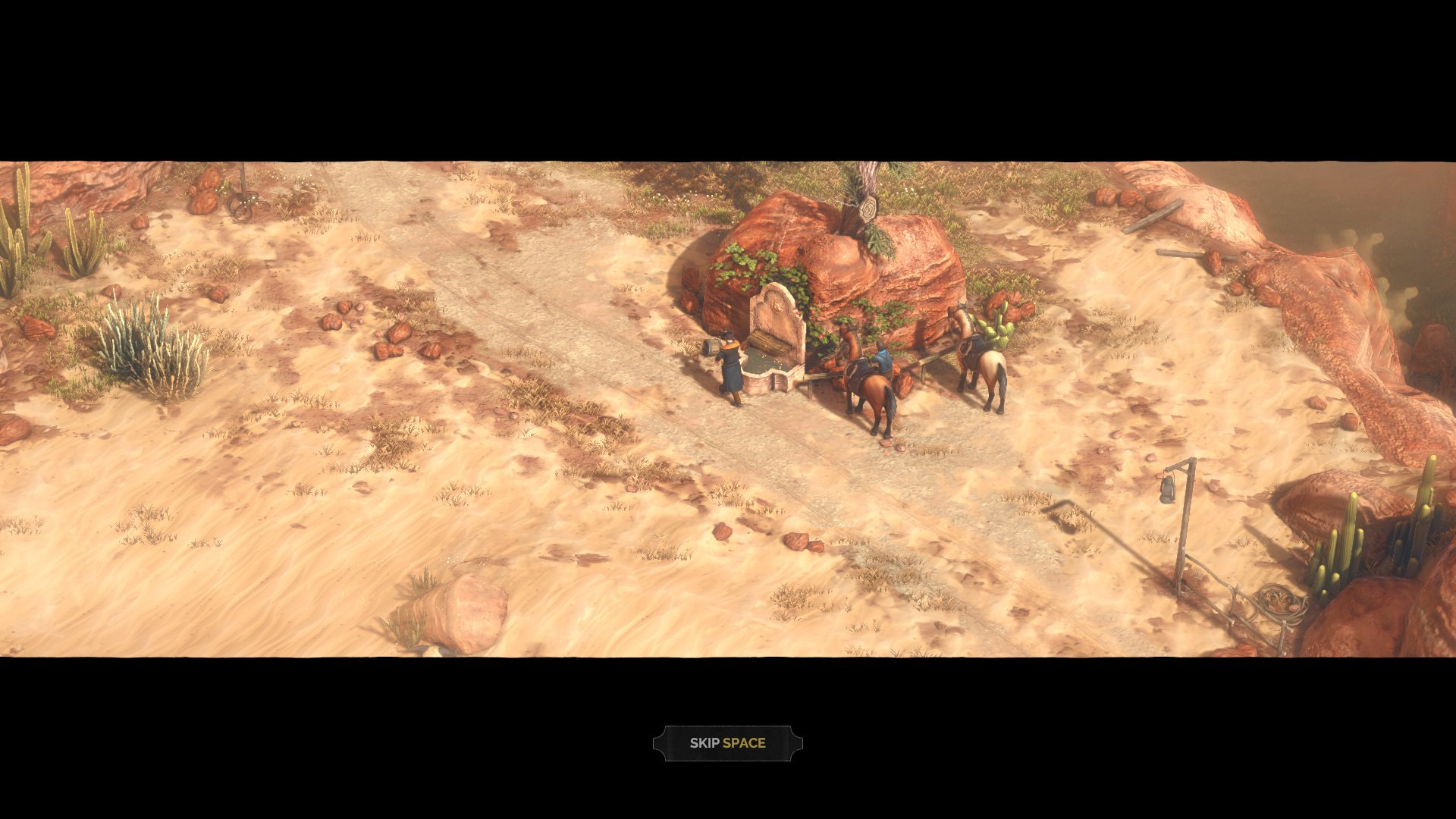
For skippable cinematics, the overlay can show a small framed key prompt near the lower center. The Game UI Database cutscene screenshot shows SKIP SPACE in a decorative dark chip, aligned to the same bottom-center region.

Job Story
When I am watching a story cutscene or stage intro, I want dialogue captions and a clear skip key prompt at the bottom of the screen, so that I can follow the narrative or intentionally move past it without breaking cinematic focus.
Classification
- diegesis: Non-diegetic
- functional_type: Feedback notification
- component_type: Label/text
Wireframe
+------------------------------------------------------------+
|                                                            |
|                 Cinematic gameplay image                   |
|                                                            |
|                                                            |
|                                                            |
+------------------------------------------------------------+
|                                                            |
|                         SPEAKER                            |
|                      Subtitle line                         |
|                                                            |
|                       [ SKIP SPACE ]                       |
+------------------------------------------------------------+
Components
- Subtitle speaker label: uppercase character name, centered above the line.
- Subtitle dialogue line: short spoken text line centered below the speaker label.
- Skip prompt frame: small dark western-styled ornament frame/chip.
- Skip action label: SKIP, rendered inside the frame.
- Input label: SPACE, highlighted next to the skip action label.
Parameters & Audio
| Parameter | Value | Type | Notes |
|---|---|---|---|
| Subtitle text should update in sync with voiced dialogue timing. | Subtitle text should update in sync with voiced dialogue timing. | Text | — |
| Skip prompt is static in the captured evidence; no visible progress meter or hold timer is shown. | Skip prompt is static in the captured evidence; no visible progress meter or hold timer is shown. | Text | — |
| The overlay uses high-contrast light text over dark letterbox space for readability. | The overlay uses high-contrast light text over dark letterbox space for readability. | Text | — |
| No separate audio cue is evidenced for prompt appearance; audio behavior is driven by the underlying cinematic voiceover/music. | No separate audio cue is evidenced for prompt appearance; audio behavior is driven by the underlying cinematic voiceover/music. | Text | — |
Dependencies & Logic
- Cutscene playback state supplies current speaker name, subtitle line, and timing.
- Subtitle visibility depends on the player's subtitle setting, evidenced by the separate subtitle enable/disable prompt in the source material.
- Skip prompt visibility depends on the current sequence being skippable and the active input scheme/key binding.
- Skip action must coordinate with cinematic playback, audio, loading, and next-state transition logic so the overlay is removed cleanly.
BDD Scenarios
Scenario: Subtitle appears during voiced cutscene dialogue
- Given
- subtitles are enabled
- When
- the speaker begins the line
- Then
- the speaker name appears at the bottom center
- And
- a cutscene dialogue line is playing
- And
- the dialogue text appears beneath the speaker name
Scenario: Skip prompt is shown for a skippable cinematic
- Given
- a skippable cutscene or stage intro is active
- When
- the cinematic overlay is displayed
- Then
- a framed `SKIP SPACE` prompt appears near the bottom center
Scenario: Player skips a cinematic
- Given
- the `SKIP SPACE` prompt is visible
- When
- the player activates the Space key skip input
- Then
- the cinematic advances or exits to the next appropriate game state
- And
- the subtitle and skip overlays are removed from the screen
Edge Cases
- Subtitle text may need to wrap or split if localized dialogue is longer than the narrow centered area seen in the English capture.
- The skip prompt should remain readable over both black letterbox bars and lighter in-scene backgrounds.
- If subtitles are disabled, the skip prompt should still be able to appear independently for skippable sequences.
- During loading or hard scene cuts, input should not trigger duplicate transitions or leave the prompt visible over the next state.
QA Notes
- Verify subtitle timing against voiceover start/end and speaker changes.
- Verify the SPACE prompt appears only on skippable cinematic/stage-intro states.
- Verify skip input removes both subtitle and prompt overlays before the next gameplay/menu state is interactive.
- Test with subtitles enabled and disabled.
- Test localized strings for wrapping, contrast, and bottom-center alignment.
References
- 1.
Desperados III (L102-106 of 283)
- 2.
Desperados 3 Let's Play Gameplay Walkthrough Pt 1 Prologue & Byers Pass [1440p w/ Commentary] (2:38-2:42)
- 3.
Desperados III (L112-119 of 283)