
Mission Select World Map

Desperados 3
- Status
- Released
- Year
- 2020
- Genre
- Strategy
- Platforms
- Windows, macOS, Linux
1. Summary
Mission Select is a frontend map screen where the player chooses a campaign mission from chapter thumbnails and a parchment world map. The selected mission is reinforced both in the left panel and by a large illustrated marker on the map, with Play and supporting replay/tutorial/challenge navigation available from the same screen.
Overview
The Mission Select World Map presents campaign missions as selectable cards over a parchment map. Selection is shown twice: in the left mission/chapter panel and as a large illustrated destination marker on the map. The screen also keeps shell navigation visible for replay, tutorials, challenges, and returning to the previous menu.
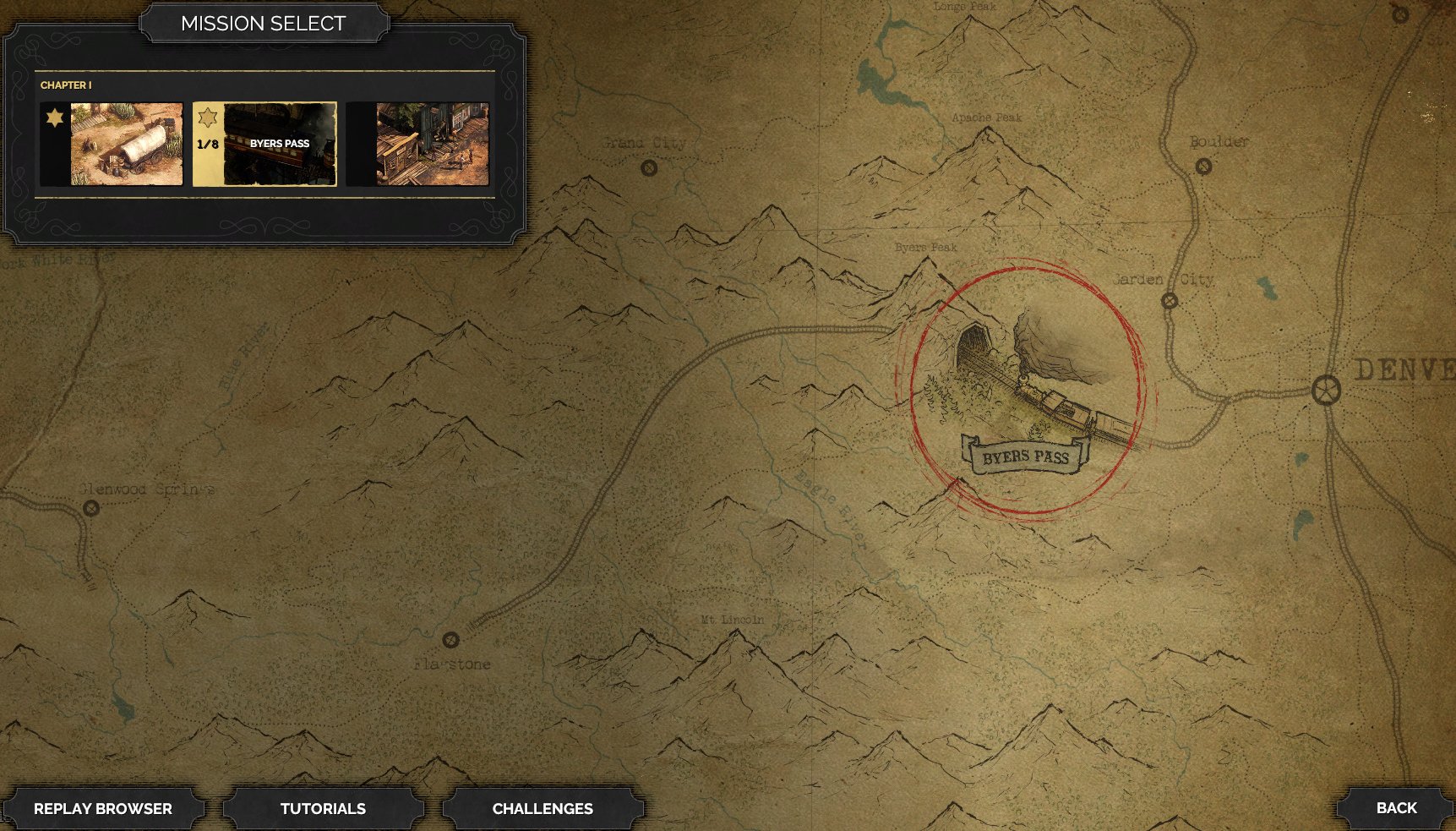
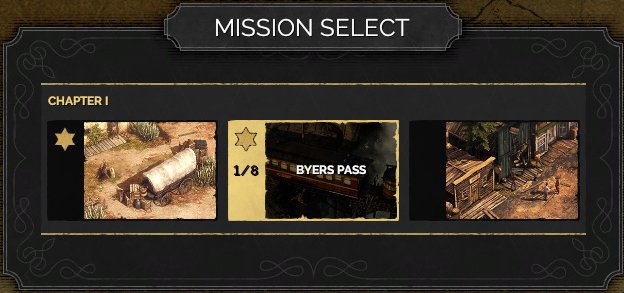
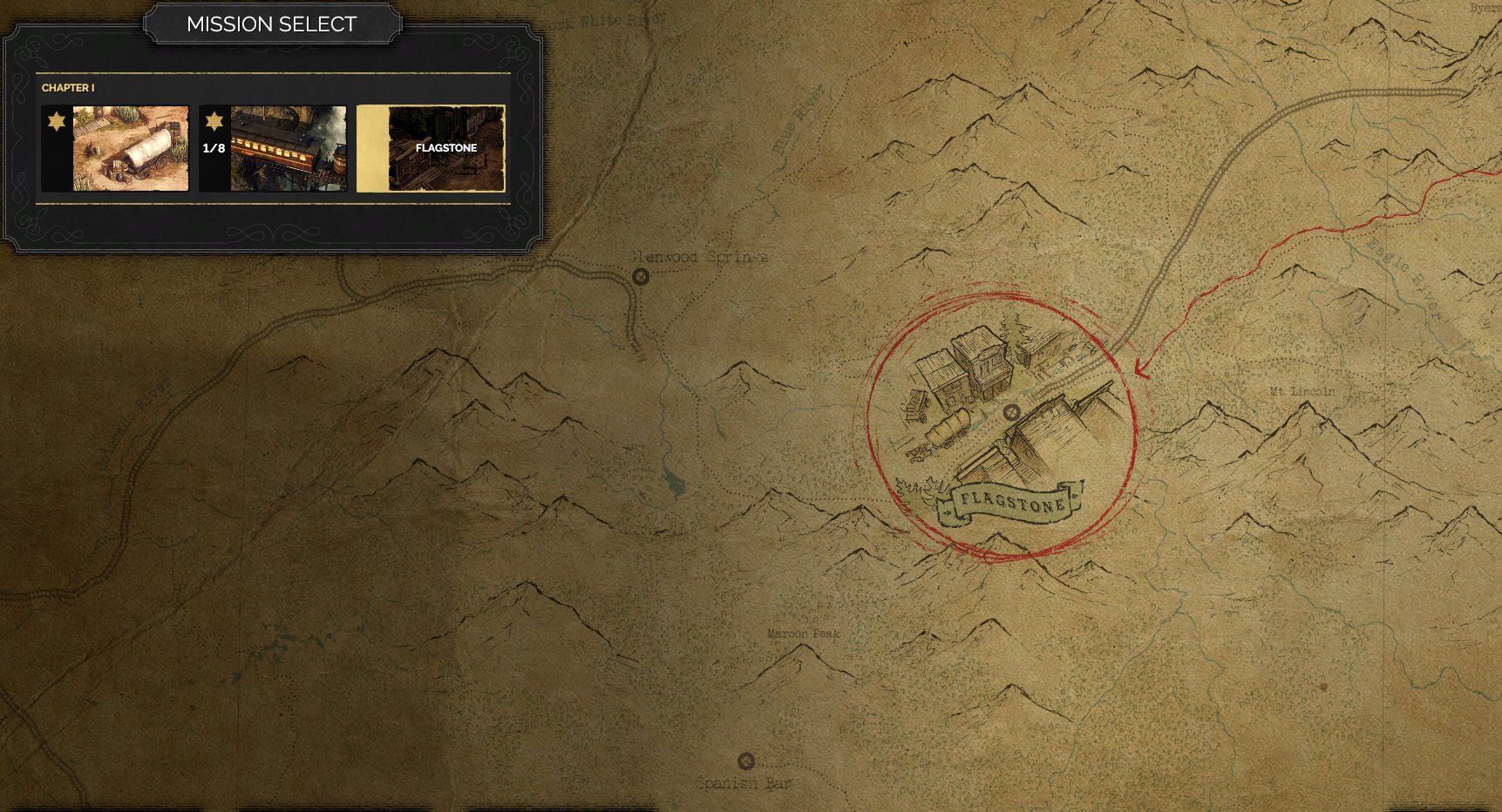
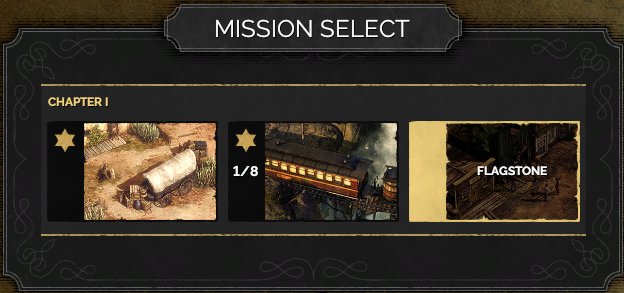
A second captured state shows the same structure with a different selected mission. The chapter strip remains fixed in the upper-left panel while the map focus moves to the selected location.
Job Story
When I am choosing what campaign mission to play or replay, I want to browse missions from a world map with clear selected-location feedback, so that I can understand where the mission sits in the journey and start it with the intended setup.
Classification
- diegesis: Non-diegetic
- functional_type: Frontend shell
- component_type: List/grid
Wireframe
+--------------------------------------------------------------------------------+
| [ MISSION SELECT ]                                                              |
| +--------------------------------+                                             |
| | CHAPTER I                      |                                             |
| | [mission card] [progress] [selected mission card]                            |
| +--------------------------------+                                             |
|                                                                                |
|                         parchment world map                                    |
|                                                                                |
|                              [circled illustrated selected location]            |
|                                                                                |
| [REPLAY BROWSER] [TUTORIALS] [CHALLENGES]                              [BACK]  |
+--------------------------------------------------------------------------------+
Components
- MISSION SELECT title plaque.
- Chapter label, e.g. CHAPTER I.
- Horizontal mission thumbnail strip.
- Selected mission card with bright border and mission name, e.g. BYERS PASS or FLAGSTONE.
- Progress indicator, e.g. 1/8.
- Large parchment world map background.
- Illustrated selected-location marker with red circled emphasis and printed location label.
- Primary PLAY action for the selected mission.
- Bottom utility buttons: REPLAY BROWSER, TUTORIALS, CHALLENGES.
- Bottom-right BACK button.
Parameters & Audio
| Parameter | Value | Type | Notes |
|---|---|---|---|
| Visual feedback is driven by selection highlights | bright card borders, lightened mission artwork, a spotlighted map marker, and red hand-drawn circle treatment around the selected destination. Buttons use stone/metal Western plaques with high-contrast white uppercase labels. Audio is expected to follow shell-menu conventions: hover ticks, selection confirmation, and a stronger confirm cue when Play is activated. | Text | — |
Dependencies & Logic
- Requires campaign mission unlock/progression data to decide which mission thumbnails are selectable.
- Requires per-mission metadata: chapter, mission title, thumbnail, map location art, location label, and completion/progress count.
- Requires replay/challenge availability data for bottom navigation destinations.
- PLAY depends on the current selected mission and hands off to the difficulty/custom rules and mission loading flow.
BDD Scenarios
Scenario: Select a mission from the chapter strip
- Given
- the Mission Select World Map is open
- When
- the player selects a different mission card
- Then
- that card receives the selected highlight
- And
- multiple mission cards are visible in the chapter strip
- And
- the map focuses on the matching illustrated location marker
- And
- the mission name shown in the panel matches the selected map marker
Scenario: Start the selected mission
- Given
- a mission is selected on the Mission Select World Map
- When
- the player activates `PLAY`
- Then
- the game proceeds toward mission setup, difficulty/custom rules, or loading for that mission
Scenario: Leave mission select
- Given
- the Mission Select World Map is open
- When
- the player activates `BACK`
- Then
- the game returns to the previous frontend menu without changing the current campaign state
Scenario: Open supporting screens
- Given
- the Mission Select World Map is open
- When
- the player activates `REPLAY BROWSER`, `TUTORIALS`, or `CHALLENGES`
- Then
- the corresponding frontend screen opens from the mission select context
Edge Cases
- If no mission is selectable, the screen should prevent Play and provide a clear disabled state rather than leaving an active-looking button.
- If a selected mission has no matching map marker asset, the panel and map could disagree; validate that each mission card maps to exactly one location marker.
- Long localized mission names must fit inside thumbnail labels and map location labels without obscuring the artwork.
- Gamepad/keyboard focus must not get trapped between the chapter strip and bottom navigation.
- Returning from difficulty/custom rules should preserve the previously selected mission.
QA Notes
- Verify that each mission card updates the map marker, mission title, and Play target together.
- Test mouse, keyboard, and gamepad navigation across mission thumbnails, Play, bottom utility buttons, and Back.
- Confirm bottom navigation remains legible against the parchment map at 16:9 resolutions.
- Confirm the selected card border and selected map marker remain visually distinct for already completed and replayed missions.
- Regression-test the handoff from Play to the Difficulty Selection Dialog and back.
Mechanic Links
- Mission Challenges, Badges, and Replay Goals - The Mission Select World Map is the entry point for replaying missions to pursue remaining badges; it should ideally surface completion status and badge indicators to guide the player's replay choice.
References
- 1.
Desperados III (L140-156 of 283)
- 2.
- 3.