
Mission Objective Panel

Desperados 3
- Status
- Released
- Year
- 2020
- Genre
- Strategy
- Platforms
- Windows, macOS, Linux
1. Summary
Open mission-info HUD panel that lists the player’s current mission objectives while the isometric gameplay view remains visible. In the captured state it shows completed objective rows, a contextual objective tooltip, category tabs, and a close control layered beside the standard character, action bar, minimap, and tutorial HUD.
Overview
The mission objective panel is a non-diegetic gameplay HUD overlay used to review current mission goals without leaving the isometric tactical view. In the captured state, the player has the MISSION INFO panel open while controlling Cooper in the prologue canyon area. The panel lists objectives such as Catch up to Your Father and Distract the Guard, shows green completion check marks, and displays contextual guidance for a selected objective.
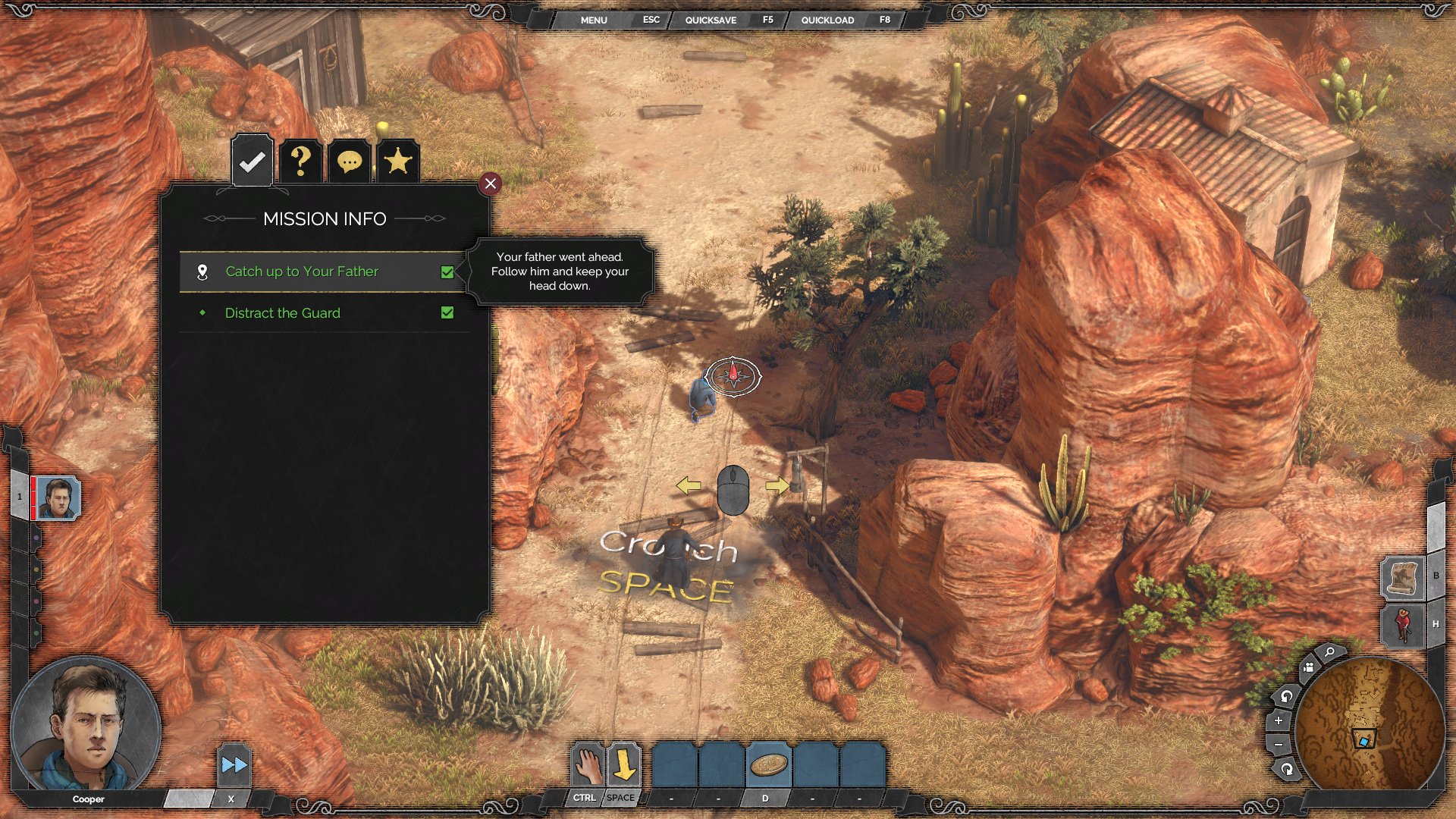
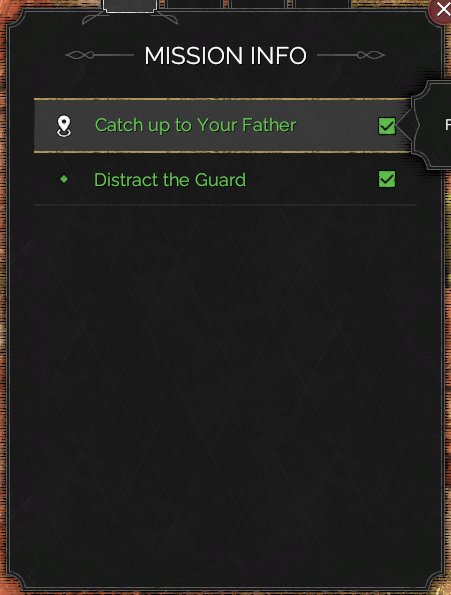
The panel uses a dark parchment-like rectangular surface, green objective text, and compact icon tabs above the header. It stays spatially integrated with the rest of the mission HUD: character portraits remain on the left, the action bar stays along the bottom, quick menu controls remain at the top, and the minimap remains in the lower-right corner.
Job Story
When I am playing a tactical mission and need to confirm what the scenario currently expects, I want to open a mission objective panel without leaving the gameplay view, so that I can plan my next stealth action while keeping spatial context.
Classification
- diegesis: Non-diegetic
- functional_type: HUD
- component_type: List/grid
Wireframe
┌──────────────────────────────────────────────────────────────┐
│ Top quick menu                                                │
├───────────────┬──────────────────────────────────────┬───────┤
│ portrait rail │                                      │       │
│               │  [tabs: ✓ ? speech star]             │       │
│               │  ┌──────────────────────────────┐    │       │
│               │  │         MISSION INFO      X  │    │       │
│               │  │ icon  Objective row      ✓   │──┐ │       │
│               │  │ bullet Objective row     ✓   │  │ tooltip
│               │  │                              │──┘ │       │
│               │  └──────────────────────────────┘    │       │
│               │                                      │ minimap
├───────────────┴──────────── action bar ──────────────┴───────┤
└──────────────────────────────────────────────────────────────┘
Components
- Mission info panel container: dark semi-opaque rectangular overlay with subtle border and Western ornament styling.
- Category tabs: icon buttons above the panel for switching between mission/info categories.
- Header label: centered MISSION INFO title.
- Close button: small red circular button on the panel’s upper-right corner.
- Objective rows: stacked list entries with icon/bullet, objective text, and completion indicator.
- Completion check boxes: right-aligned green checked boxes for completed/satisfied objectives.
- Objective tooltip: black contextual bubble extending from a selected objective row with explanatory mission text.
- Background HUD context: character portraits, action bar, minimap, quick menu, right-side buttons, and tutorial prompts remain visible behind/around the overlay.
Parameters & Audio
| Parameter | Value | Type | Notes |
|---|---|---|---|
| Visual style | dark transparent panel, muted border, green objective/completion accents, and small iconography consistent with the rest of the Western HUD. | Text | — |
| Animation | no direct animation evidence in the captured frame; likely instant or short fade/slide behavior should be verified in live capture. | Text | — |
| Audio | no direct audio evidence for opening/closing the panel or objective update notifications. | Text | — |
| Feedback | completed objectives use green row text and checked boxes; selected objectives can display a tooltip for additional guidance. | Text | — |
Dependencies & Logic
- Mission script/objective state supplies the objective row labels, completion flags, and optional tooltip copy.
- Objective progression events drive completion indicators and separate HUD objective notifications.
- Input/navigation state determines which category tab and objective row are selected or hovered.
- HUD layering must keep the panel above the gameplay scene but below no critical modal dialogs.
- Localization must fit objective names and tooltip text inside the row/tooltip containers without overlapping the close button or completion check boxes.
BDD Scenarios
Scenario: Open mission objectives during gameplay
- Given
- the player is in an active mission with gameplay HUD visible
- When
- the player opens mission information
- Then
- the `MISSION INFO` panel appears over the left-center of the playfield
- And
- the character portraits, action bar, minimap, and top quick menu remain visible
Scenario: Inspect objective guidance
- Given
- the mission objective panel is open
- When
- the player selects or hovers an objective row with help text
- Then
- a tooltip appears beside the panel with explanatory mission guidance
Scenario: Completed objective is shown
- Given
- a mission objective has been completed or satisfied
- When
- the mission objective panel is open
- Then
- the objective row displays completion styling
- And
- the row includes a checked completion indicator
Scenario: Objective state changes during gameplay
- Given
- the player completes or updates an objective while playing
- When
- the HUD receives the objective update
- Then
- the HUD can show an objective notification without requiring the full panel to be open
Edge Cases
- Long localized objective names may collide with right-side completion indicators or tooltip anchors.
- Multiple simultaneous objectives may exceed the visible row area and require scrolling, pagination, or truncation behavior not visible in the current source.
- Tooltip content may overlap the playfield or nearby HUD elements if the panel is opened near dense screen areas.
- If combat/alarm state changes while the panel is open, objective updates should not obscure urgent warning or confirmation modals.
- Category tabs with no entries should still communicate the selected category and avoid appearing broken or disabled without explanation.
QA Notes
- Verify that the objective panel can open and close from gameplay without hiding character portraits, action bar, minimap, top quick menu, or tutorial prompts.
- Verify completed objectives display green/check styling and update correctly when mission state changes.
- Verify objective tooltips anchor to the correct row and remain readable over bright and dark map backgrounds.
- Verify objective notification behavior separately from the full panel.
- Test localized strings for row length, tooltip wrapping, and close-button overlap.
Mechanic Links
- Tactical Stealth Mission Loop - The mission objective panel exposes current goals and completion state, anchoring the player’s tactical decisions to mission progression.
- Environmental Interaction and Accident Kills - The mission objective panel and objective-update notifications reflect mission goals that can be completed through environmental interactions.
- Mission Challenges, Badges, and Replay Goals - The Mission Objective Panel during gameplay shows current mission goals; some badge constraints (e.g., accident kills, area avoidance) are related to but distinct from the primary objectives tracked here.
References
- 1.
Desperados III (L208-212 of 283)
- 2.
Desperados III (L278-282 of 283)