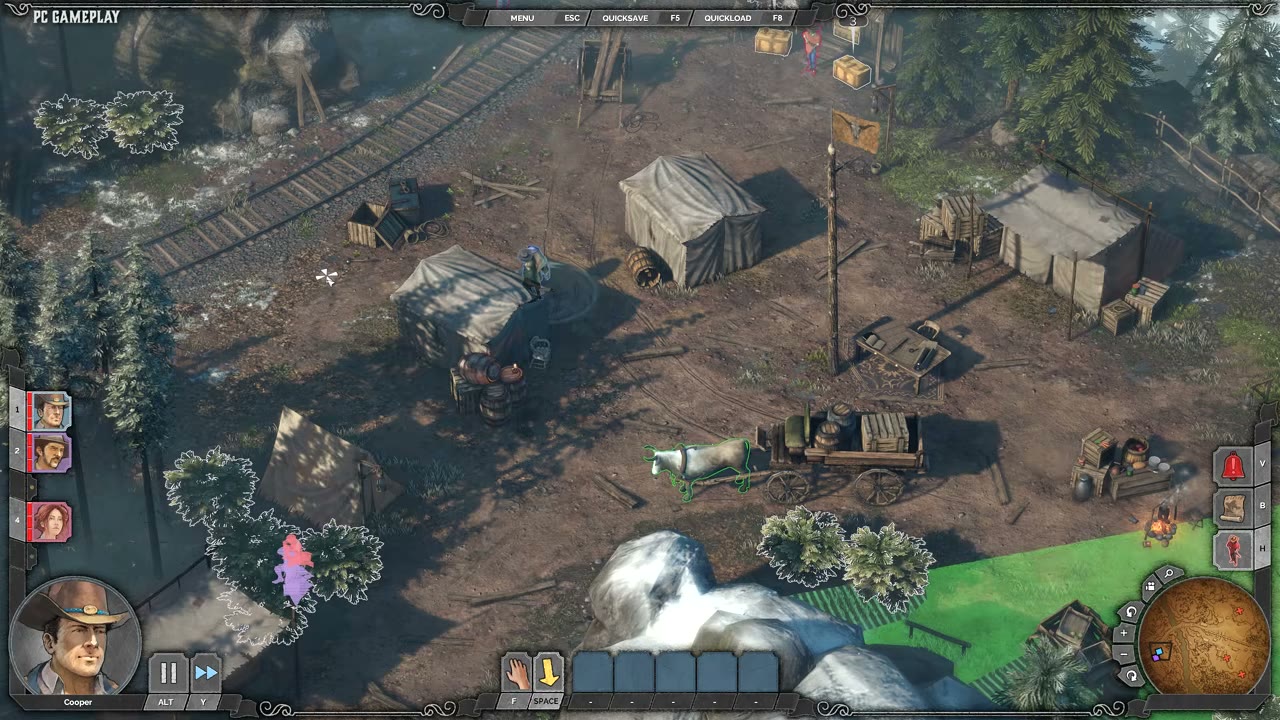

Environmental Interaction and Accident Kills
Base
Desperados 3
- Status
- Released
- Year
- 2020
- Genre
- Strategy
- Platforms
- Windows, macOS, Linux
1. Summary
Environmental interaction turns parts of the level into tactical tools: the player can trigger or exploit hazards such as falling objects, explosives, and other mission-specific props to remove targets or groups. These kills are treated as accidents when the player remains unseen, usually drawing investigation rather than an alarm, and they support stealth, badge, and replay-goal planning.
3. Design Intent / Job Story
When a guarded area is hard to clear with direct takedowns, I want to use nearby hazards and interactable objects to stage an accident, so that I can remove targets while preserving stealth and creating new route options.
4. Role in Gameplay Loop
- Turns the map itself into a tactical resource alongside character abilities.
- Creates stealth-safe elimination options for enemies who are watched, grouped, or difficult to approach.
- Rewards scouting, timing, and luring enemies into a hazard's effective area.
- Supports optional badge and replay challenges that ask for specific kill methods or simultaneous eliminations.
- Produces investigation pressure without necessarily escalating to a full alarm when the player is not witnessed.
5. Preconditions
- A mission contains an enabled environmental hazard or interactable accident object.
- At least one controllable character can reach, target, or otherwise trigger the interaction.
- The intended victim is inside, or can be moved into, the hazard's affected area at the moment of activation.
- The triggering character is not interrupted, incapacitated, or blocked by enemy perception before the interaction resolves.
- Mission rules allow the interaction to affect the selected target type and objective state.
6. Parameters
| Parameter | Value | Type | Notes |
|---|---|---|---|
| Hazard availability | Enabled / disabled / spent | authored state | Whether the mission object can currently be interacted with or resolved. |
| Affected area | Authored per hazard | spatial volume | World-space area used to determine which characters are hit by the accident. |
| Preview visibility | On hover / targeting | UI affordance | Whether the player can see the fall zone or affected area before activation. |
| Trigger requirement | Character, object, or mission-specific | interaction rule | What must happen to activate the hazard. |
| Resolution timing | Authored per hazard | duration | Delay between trigger and damaging/kill effect. |
| Valid targets | Authored per mission/object | target filter | Which enemy, civilian, animal, or objective actors can be affected. |
| AI response | Investigate / alarm / ignore | enum | Guard reaction after the hazard resolves, based on witness and mission context. |
| Reuse policy | One-shot / reusable / stateful | enum | Whether the interaction can be used again after resolution. |
| Badge contribution | Mission-specific | tracking rule | Which badge, challenge, or achievement counters receive credit. |
7. Core Rules
- Environmental hazards are placed and authored per mission; the system provides the shared interaction, targeting, resolution, and AI-response rules.
- Hovering or targeting a hazard can preview its affected area or fall zone before activation.
- A hazard resolves against characters inside its affected area when the interaction is triggered or the hazard state changes.
- Accident kills can eliminate a single target or multiple targets if they are inside the resolved area.
- If the player remains unseen during the setup and trigger, guards may investigate the incident instead of treating it as witnessed murder.
- If a character is seen performing a suspicious or hostile setup action, normal perception and alarm rules apply.
- Enemy lures, patrol timing, and synchronized actions can be used to move victims into the hazard area before resolution.
- Hazard kills feed mission objective, badge, kill-count, and challenge tracking according to each mission's authored goals.
- Environmental interactions are generally one-shot or stateful objects unless a mission explicitly provides a reusable hazard.
8. BDD Scenarios
Scenario: Preview a hazard area
- Given
- an enabled environmental hazard is visible in the mission
- When
- the player hovers or targets the hazard interaction
- Then
- the game shows the hazard's affected area or fall zone
Scenario: Stage an unseen accident kill
- Given
- an enemy is inside the hazard's affected area
- When
- the player activates the environmental interaction
- Then
- the hazard resolves and kills the enemy as an accident
- And
- the triggering character is not seen by enemies
- And
- nearby guards investigate instead of immediately raising a witnessed-kill alarm
Scenario: Eliminate a grouped patrol
- Given
- multiple enemies are inside the same hazard area
- When
- the player triggers the hazard at the correct timing
- Then
- every valid enemy caught in the resolved area is affected by the hazard
- And
- mission counters update for simultaneous or method-specific kill goals
Scenario: Suspicious setup is witnessed
- Given
- an enemy can see the character performing the interaction
- When
- the player triggers or prepares the hazard in that enemy's view
- Then
- the normal perception and alarm rules apply
- And
- the accident does not protect the player from being detected
9. Edge Cases
- A target moves out of the hazard area between preview and activation.
- A lure brings a non-target NPC into the affected area before resolution.
- The player triggers the hazard while the setup action is inside an enemy viewcone.
- Multiple enemies enter the area at different times during the hazard animation.
- A mission objective requires a specific target to die by accident but the hazard kills another unit first.
- A hazard object has already been used or destroyed before the player attempts the interaction.
- The hazard draws an investigation that exposes hidden bodies, trespassing characters, or restricted-route setups.
- A badge condition conflicts with the environmental kill method, such as no explosives, no firearms, no kills, or target-specific constraints.
10. QA Notes
- Verify each hazard previews the same affected area that its resolution actually uses.
- Verify unseen accident kills trigger investigation behavior rather than immediate witnessed-kill alarm.
- Verify witnessed setup or activation correctly routes through normal enemy perception and alarm handling.
- Verify grouped enemies inside the hazard area are all processed and counted consistently.
- Verify objective, badge, and achievement counters update for environmental, explosive, simultaneous, and target-specific kill conditions.
- Verify one-shot hazards cannot be reused unless the mission explicitly supports reuse.
- Verify saves and reloads preserve hazard state, killed targets, investigation state, and badge counters.
- Verify hazard prompts and overlays remain readable in bright, dark, foliage-heavy, and cluttered map areas.
11. Mechanic Dependencies
- Showdown Synchronized Planning (Showdown planning can coordinate lures, positioning, and hazard activation so multi-target accidents resolve at the intended timing.)
- Squad Character Ability System (Character abilities provide the actions used to reach, trigger, lure into, or synchronize environmental accident opportunities.)
- Enemy Perception and Alarm AI (Enemy perception determines whether the setup or trigger is witnessed, whether guards investigate an accident, and whether the event escalates into an alarm.)
- Distraction and Noise Manipulation (Distraction and lure tools are the main way to move enemies into authored hazard areas before the accident resolves.)
- Mission Challenges, Badges, and Replay Goals (Mission badges and replay goals track environmental, explosive, simultaneous, or method-specific eliminations created through this mechanic.)
12. UI Links
- Mission Badges Results Screen - The mission badges results screen displays challenge progress and completion for method-specific, simultaneous, or environmental elimination goals.
- Mission Objective Panel - The mission objective panel and objective-update notifications reflect mission goals that can be completed through environmental interactions.
- Character Action Bar - The character action bar exposes the selected character actions and hotkeys used to target, queue, or trigger interactions that set up environmental kills.
- Tactical Spatial Markers - Tactical spatial markers expose hazard prompts, affected areas, viewcones, alert markers, and other world-space feedback needed to plan accident kills.
References
- 1.
DESPERADOS III - Know THESE Important Tips Before Playing (4:52-5:45)
- 2.
Desperados III (L5-9 of 50)
- 3.
Steam Community :: Guide :: All Badges + Mission-by-Mission Achievements Guide (L14-27 of 932)