
Pause Menu And Area Map

Desperados 3
- Status
- Released
- Year
- 2020
- Genre
- Strategy
- Platforms
- Windows, macOS, Linux
1. Summary
Pause overlay that interrupts mission play and combines save/load navigation with a tactical overview of the current level. The left column exposes recent save slots and menu actions, while the right side shows a circular area map with mission markers for spatial context.
Overview
The Pause Menu And Area Map is a full-screen overlay used during missions. It preserves a faint view of the paused gameplay in the background while placing operational controls on the left and a large tactical area map on the right.
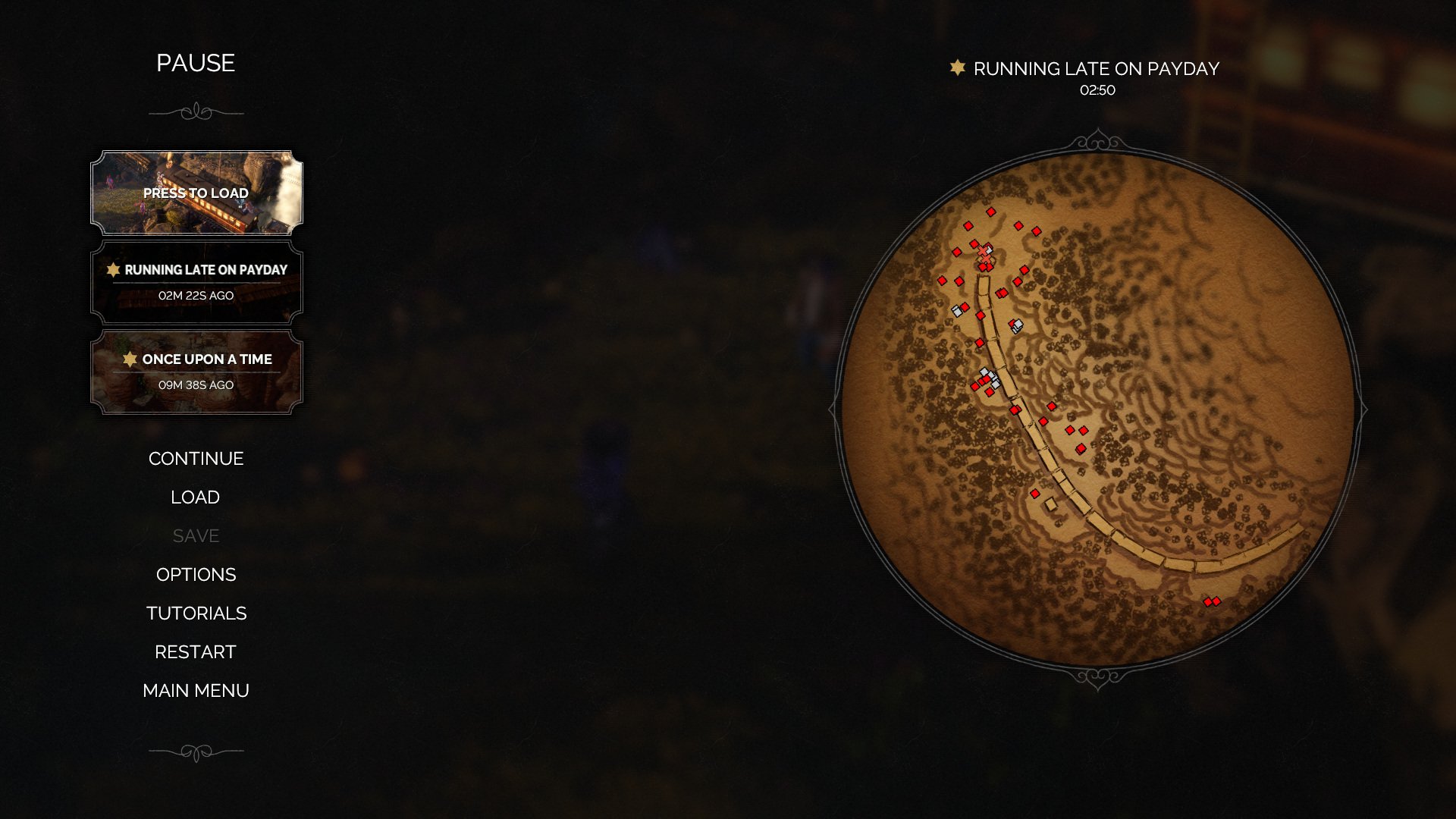
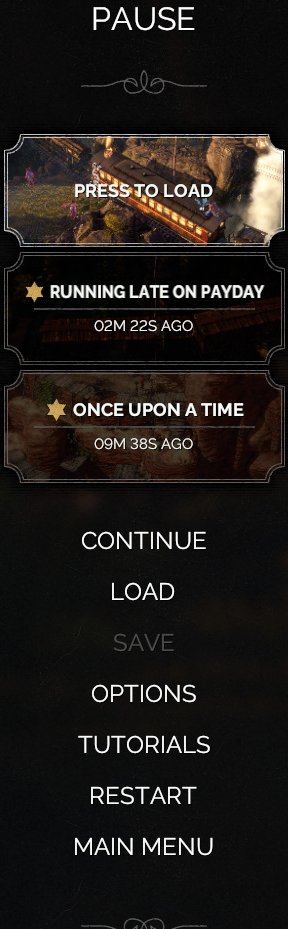
The left panel combines two related functions: recent save access and mission/menu actions. Save slots appear as framed cards above the action list, while the options below use a simple vertical text menu. Disabled actions are still visible but visually muted, making the current availability state clear without changing the menu layout.
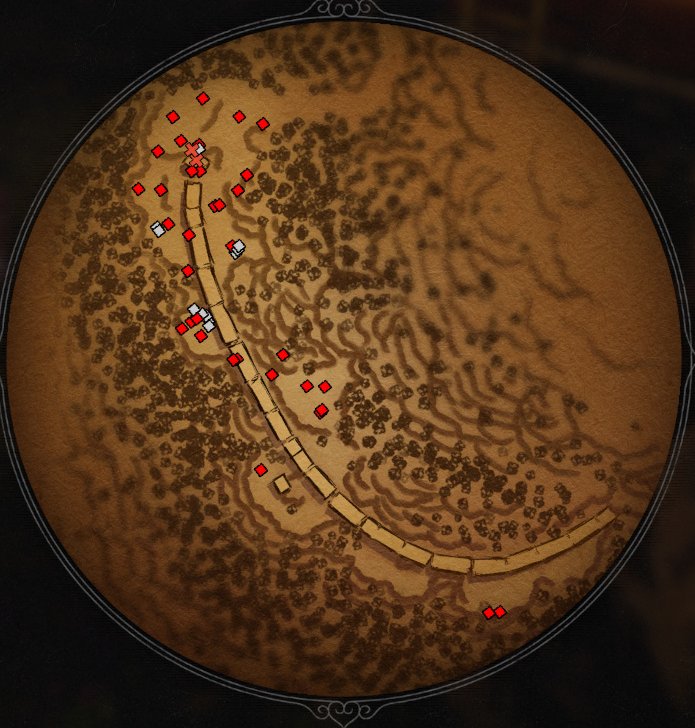
The right-side map is a circular parchment-style overview of the current mission area. It includes terrain detail and colored tactical markers, giving players a spatial reminder of the mission state before they continue, load, restart, or leave.
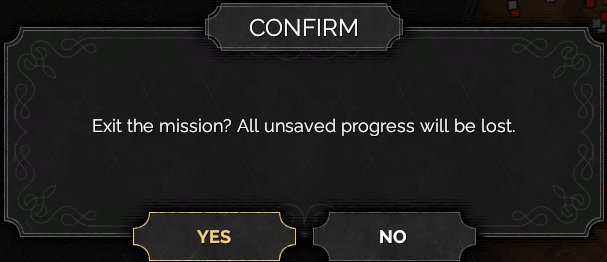
Destructive navigation, such as exiting the current mission, is protected by a modal confirmation. The modal sits centered over the paused context and temporarily supersedes both the left menu and map until the player confirms or cancels.
Job Story
When I pause during a tactical mission, I want save/load controls and a mission-area map in one screen, so that I can recover, re-plan, or leave without losing orientation in the level.
Classification
- diegesis: Non-diegetic
- functional_type: Management screen
- component_type: List/grid
Wireframe
+--------------------------------------------------------------------------------+
| dimmed gameplay backdrop                                                        |
|                                                                                |
|  +----------------------+                         Mission title / elapsed time  |
|  | PAUSE                |                                                       |
|  |                      |                 +-------------------------------+     |
|  | [save slot card]     |                 |                               |     |
|  | [save slot card]     |                 |       circular area map        |     |
|  | [save slot card]     |                 |       markers + terrain        |     |
|  |                      |                 |                               |     |
|  | CONTINUE             |                 +-------------------------------+     |
|  | LOAD                 |                                                       |
|  | SAVE (disabled)      |                                                       |
|  | OPTIONS              |                                                       |
|  | TUTORIALS            |                                                       |
|  | RESTART              |                                                       |
|  | MAIN MENU            |                                                       |
|  +----------------------+                                                       |
+--------------------------------------------------------------------------------+
Components
- Pause title label
- Decorative separators around the title and footer of the left panel
- Recent save-slot cards with thumbnail, save name, and relative timestamp
- Vertical menu action list: Continue, Load, Save, Options, Tutorials, Restart, Main Menu
- Disabled menu action styling for unavailable actions
- Mission title and elapsed-time label above the map
- Circular mission area map with terrain rendering and colored markers
- Confirmation modal for abandon/exit actions
Parameters & Audio
| Parameter | Value | Type | Notes |
|---|---|---|---|
| Visual feedback uses high-contrast white text for available commands, muted grey text for disabled commands, framed cards for save slots, and a strong dark overlay behind the menu. Expected audio feedback should include standard menu navigation ticks, selection confirmation, cancellation/back sounds, and a stronger confirm/cancel cue when a destructive confirmation modal opens or resolves. | Visual feedback uses high-contrast white text for available commands, muted grey text for disabled commands, framed cards for save slots, and a strong dark overlay behind the menu. Expected audio feedback should include standard menu navigation ticks, selection confirmation, cancellation/back sounds, and a stronger confirm/cancel cue when a destructive confirmation modal opens or resolves. | Text | — |
Dependencies & Logic
- Current mission identity drives the map title, mission name, elapsed timer, and area map content.
- Save-system state drives recent save-slot cards, load availability, save timestamps, and whether Save is enabled.
- Mission/session state determines whether Continue, Restart, and Main Menu are valid actions.
- Confirmation modals depend on whether the chosen action can discard current unsaved progress.
- Map marker data depends on mission layout and the player's current discovered/known tactical information.
BDD Scenarios
Scenario: Pause from active mission
- Given
- the player is in an active mission
- When
- the player opens the pause menu
- Then
- gameplay is dimmed behind the overlay
- And
- the left pause options column is visible
- And
- the circular mission area map is visible on the right
Scenario: Disabled save action
- Given
- saving is currently unavailable
- When
- the pause menu is displayed
- Then
- the Save option is shown in disabled grey styling
- And
- the player cannot activate Save from that state
Scenario: Exit action requires confirmation
- Given
- the player is on the pause menu
- When
- the player chooses an action that exits the current mission
- Then
- a centered confirmation dialog appears over the pause/menu context
- And
- the player must confirm or cancel before leaving the mission
Edge Cases
- Save is unavailable during restricted moments and must remain visibly disabled.
- No recent saves should not leave orphaned slot frames; the list should either collapse or show an explicit empty state.
- Long save names or mission names must not overlap the narrow left panel or map header.
- Confirmation dialogs must keep the underlying pause context dimmed and non-interactive.
- Loading or restarting from the pause menu should prevent duplicate input while the transition begins.
QA Notes
- Verify the pause command works during normal mission play and returns to the same mission state via Continue.
- Verify focus order through save slots and menu actions with keyboard/controller input.
- Verify disabled options cannot be activated and are announced visually by grey styling.
- Verify Load, Restart, and Main Menu flows display the correct confirmation or transition behavior.
- Verify the circular map updates to the current mission and remains legible over the dimmed background.
Mechanic Links
- Movement, Terrain, and Cover Navigation - The Pause Menu And Area Map provides a larger mission-area view for re-planning movement routes and objective approach paths.
References
- 1.
Desperados III (L170-182 of 283)
- 2.
Desperados III (L126-130 of 283)