![Visual reference from Desperados 3 Let's Play Gameplay Walkthrough Pt 3 Higgins' Estate [1440p w/ Commentary] at 39:20-39:30](/published/media/desperados-3/source-324-preview-52258959e0.jpg)

Mission Failed Recovery Screen

Desperados 3
- Status
- Released
- Year
- 2020
- Genre
- Strategy
- Platforms
- Windows, macOS, Linux
1. Summary
A non-diegetic mission-failure recovery screen that overlays a darkened gameplay backdrop after a fail state. It communicates the failure, explains the immediate cause, and offers recent-save loading plus hide, restart, and main-menu exits.
Overview
The Mission Failed Recovery Screen is a full-screen modal overlay shown after a hard fail state. It darkens the paused gameplay scene with a red-brown vignette and presents a stark white grave marker with a raven as the central failure symbol.
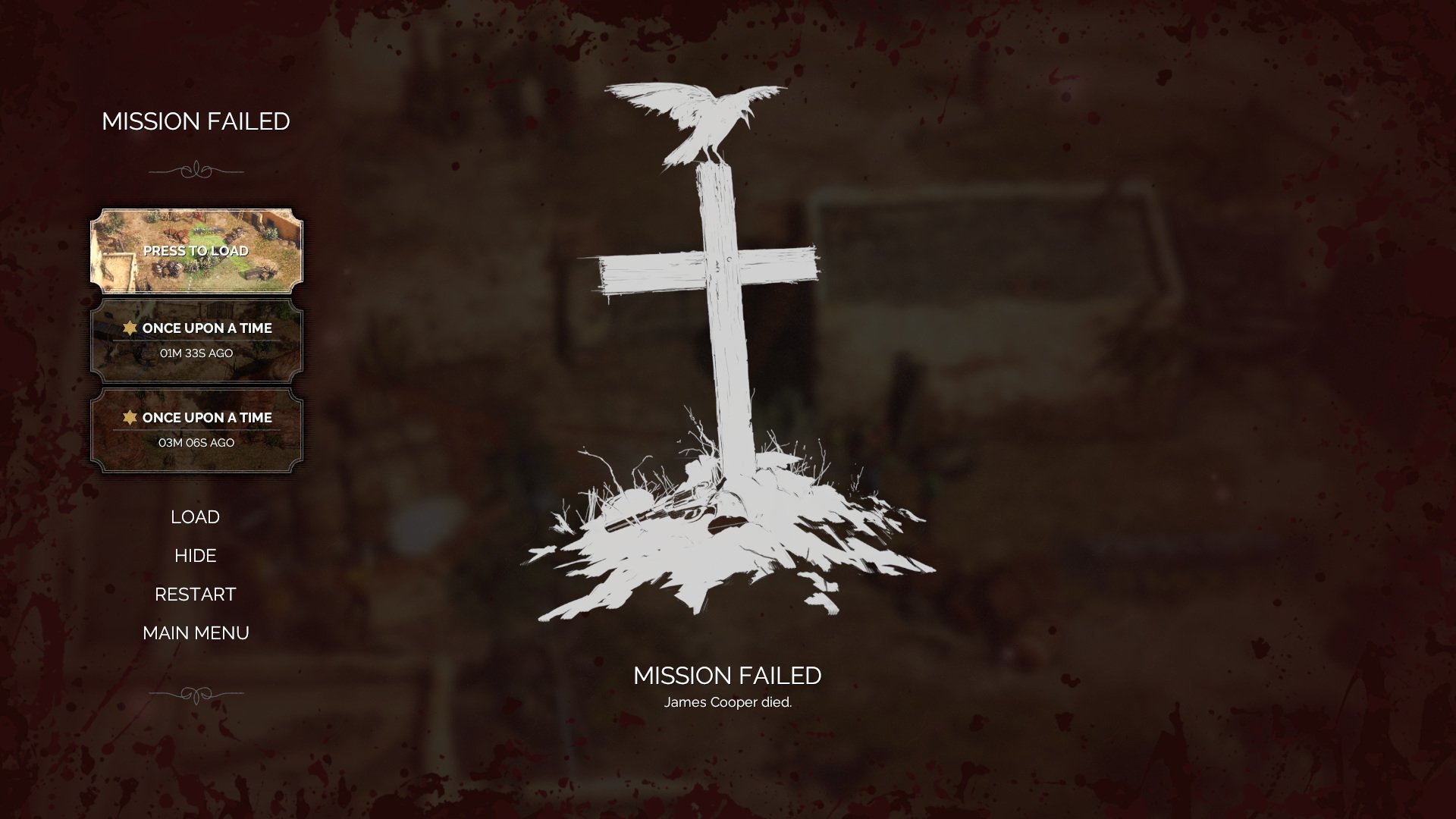
The left column carries the usable recovery controls. It starts with the MISSION FAILED title, then a recent-save stack where the top save uses a thumbnail and PRESS TO LOAD affordance. Below it, the screen offers the main choices: LOAD, HIDE, RESTART, and MAIN MENU.
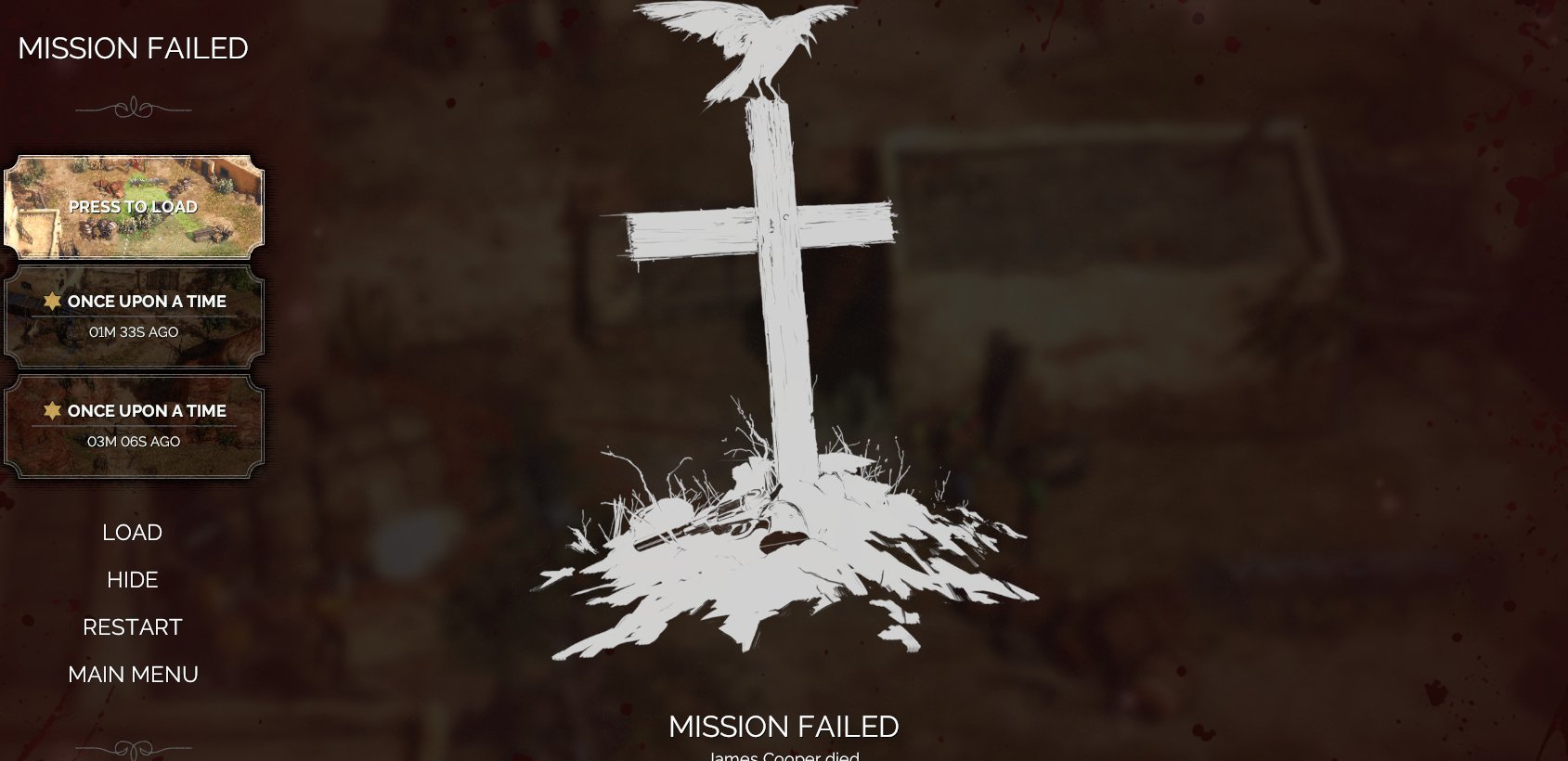
The bottom-center text repeats MISSION FAILED and adds the specific failure reason. In the captured example, the cause is James Cooper died., tying the recovery UI directly to the mission-critical character death that triggered the fail state.
Job Story
When a mission fails because a critical condition is broken, I want a clear recovery screen with recent saves and restart/navigation options, so that I can quickly choose whether to retry from a save, restart, inspect the scene, or leave the mission.
Classification
- diegesis: Non-diegetic
- functional_type: Management screen
- component_type: List/grid
Wireframe
+--------------------------------------------------------------+
| darkened gameplay backdrop with red vignette                 |
|                                                              |
|  MISSION FAILED          [large grave marker + raven]         |
|  -----------                                                  |
|  [save thumbnail]                                             |
|  PRESS TO LOAD                                                |
|  [save row: mission + age]                                    |
|  [save row: mission + age]                                    |
|                                                              |
|  LOAD                                                        |
|  HIDE                                                        |
|  RESTART                                                     |
|  MAIN MENU                                                   |
|                                                              |
|                         MISSION FAILED                       |
|                         [failure cause]                      |
+--------------------------------------------------------------+
Components
- Screen title: MISSION FAILED in the upper-left column.
- Decorative separator ornaments above and below the left menu stack.
- Recent-save cards: thumbnail, PRESS TO LOAD, mission/save label, and age text.
- Primary recovery actions: LOAD, HIDE, RESTART, MAIN MENU.
- Central failure illustration: white grave marker/cross with raven perched above and ground debris below.
- Bottom status: repeated MISSION FAILED label plus exact fail reason, e.g. James Cooper died.
- Modal background treatment: dark transparent panel, blurred gameplay backdrop, and red/blood vignette edges.
Parameters & Audio
| Parameter | Value | Type | Notes |
|---|---|---|---|
| Visual feedback relies on strong contrast between the white grave/raven illustration and the dark red-brown overlay. The active save card is brighter and uses a thumbnail to signal direct loading. The screen likely enters with the mission-failure sting/transition, then recovery actions trigger standard menu selection sounds and loading-screen transitions; no source audio-specific controls are visible in the evidence. | Visual feedback relies on strong contrast between the white grave/raven illustration and the dark red-brown overlay. The active save card is brighter and uses a thumbnail to signal direct loading. The screen likely enters with the mission-failure sting/transition, then recovery actions trigger standard menu selection sounds and loading-screen transitions; no source audio-specific controls are visible in the evidence. | Text | — |
Dependencies & Logic
- Requires the mission-failure state to be raised by gameplay rules, such as death of a required character.
- Requires access to recent save metadata: thumbnail, mission/save name, and elapsed age.
- Load and restart depend on save-game availability and mission reset/loading systems.
- HIDE depends on retaining the failed gameplay scene behind the modal.
- Bottom failure-cause text depends on the fail reason emitted by mission logic.
BDD Scenarios
Scenario: Mission failure screen appears after critical character death
- Given
- the player is in an active mission
- When
- the game resolves the fail condition
- Then
- the Mission Failed recovery screen appears
- And
- a mission-critical character dies
- And
- the bottom failure reason names the cause
Scenario: Player loads the highlighted recent save
- Given
- the Mission Failed recovery screen is visible
- When
- the player activates the `PRESS TO LOAD` card
- Then
- the game transitions to loading
- And
- a recent save card is highlighted
- And
- gameplay resumes from the selected save
Scenario: Player restarts the mission
- Given
- the Mission Failed recovery screen is visible
- When
- the player selects `RESTART`
- Then
- the current failed attempt is abandoned
- And
- the mission restarts through the normal loading flow
Scenario: Player hides the overlay
- Given
- the Mission Failed recovery screen is visible
- When
- the player selects `HIDE`
- Then
- the recovery overlay is dismissed or minimized
- And
- the failed gameplay scene remains available for inspection
Edge Cases
- No recent saves available: LOAD and recent-save cards should be disabled, hidden, or replaced with clear unavailable messaging.
- Save load fails: the player should receive an error and remain on a safe recovery path rather than returning to invalid gameplay.
- Multiple failure causes occur together: the bottom cause line should choose the highest-priority actionable reason.
- Very long mission/save names should truncate without overlapping card borders or action labels.
- Controller/keyboard focus must remain trapped within recovery choices while the modal is active.
QA Notes
- Trigger mission failure through a critical-character death and verify the overlay appears with the correct cause text.
- Verify recent saves display thumbnail, label, and age, and that the highlighted save can be loaded directly.
- Verify LOAD, HIDE, RESTART, and MAIN MENU each route to the correct destination.
- Verify the background remains dimmed and the modal remains readable at 16:9 resolutions matching the evidence.
- Verify keyboard/controller focus order moves through save cards and recovery actions predictably.
Mechanic Links
- Tactical Stealth Mission Loop - The mission failed recovery screen handles breakdowns in the loop and returns the player to retry or reload after failure.
- Trial-and-Error Save Iteration Loop - The mission failed recovery screen provides recent-save loading and restart options when a hard failure forces recovery through the save iteration loop.
- Enemy Perception and Alarm AI - Mission Failed Recovery Screen appears when perception or combat consequences produce a hard fail state such as detection leading to critical character death.
References
- 1.
Desperados III (L182-186 of 283)
- 2.
- 3.
Desperados 3 Let's Play Gameplay Walkthrough Pt 3 Higgins' Estate [1440p w/ Commentary] (39:20-39:30)