![Visual reference from Прохождение Shadow Tactics: Blades of the Shogun 1 - Осада Осаки Тракт Накасено [Профессионал] at 30:00-40:00](/published/media/shadow-tactics-blades-of-the-shogun/source-9-preview-9323ff0a21.jpg)
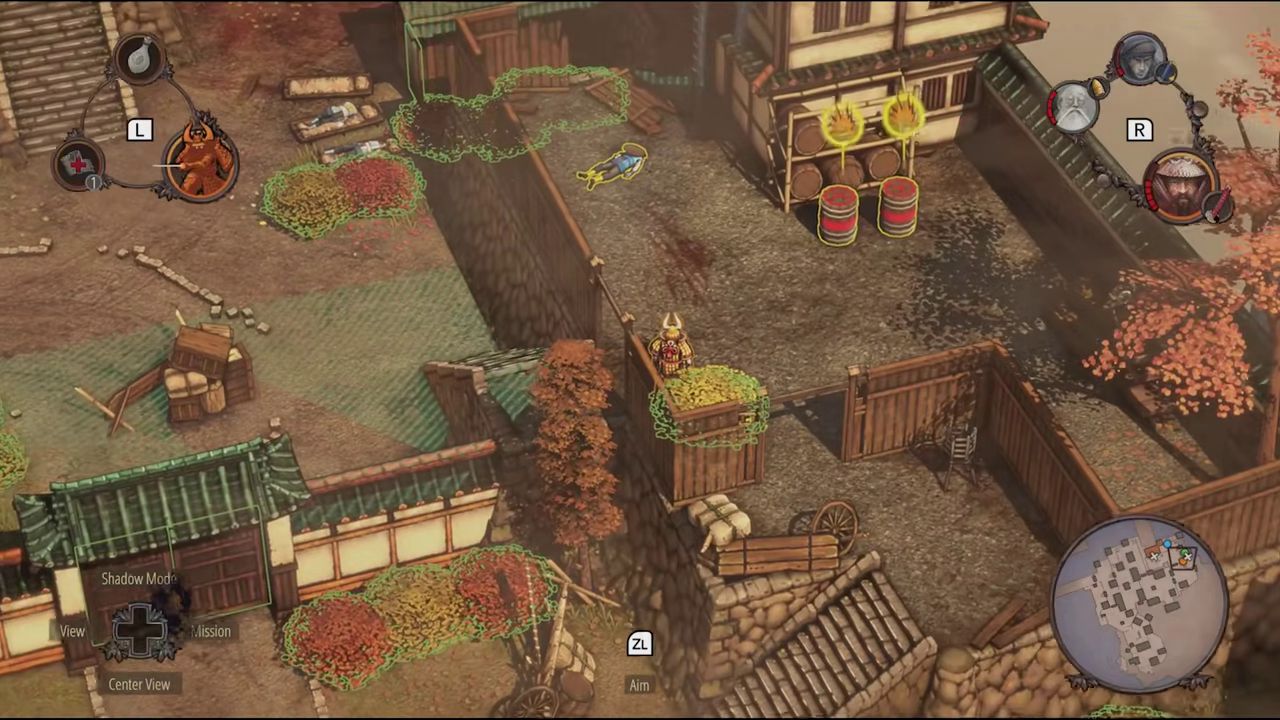

Quicksave and Reload Iteration Loop
Base
Shadow Tactics: Blades of the Shogun
- Status
- Released
- Year
- 2016
- Genre
- Indie, Strategy
- Platforms
- Windows, macOS, Linux
1. Summary
A frictionless trial-and-error loop built around single-button quicksave (F5) and quickload (F8) that lets players snapshot mission state at any moment, experiment with strategies, and rewind on failure without penalty. The HUD displays a "Last Save" timer to remind players when they last saved, and cumulative progress (achievements, developer kills, badge unlocks) persists across reloads.
3. Design Intent / Job Story
When I am about to attempt a risky coordinated takedown or cross a heavily patrolled area, I want to create a quicksave so that I can rewind and try a different approach if the plan fails.
4. Role in Gameplay Loop
- Provides the fundamental trial-and-error loop that makes high-difficulty stealth puzzles approachable
- Encourages experimentation with character abilities and shadow-mode coordination by removing the penalty of failure
- Acts as a safety net that lets the player recover from detection cascades and unwinnable states
- Creates tension with the badge system by invalidating "no save" constraints, adding a risk/reward layer to replayability
- Supports cumulative achievement hunting by persisting account-wide progress even when the player reloads
5. Preconditions
- Player is actively playing a mission (not in a menu, cutscene, or loading screen)
- Mission has been loaded and gameplay has started
- The game is not in a mission-failure state that disables input
6. Parameters
| Parameter | Value | Type | Notes |
|---|---|---|---|
| Quicksave input | F5 (default, PC) | keybinding | Input that creates a mission-state snapshot |
| Quickload input | F8 (default, PC) | keybinding | Input that restores the most recent snapshot |
| Snapshot slot count | 1 | integer | Maximum number of quicksave snapshots retained per mission |
| Snapshot overwrite | true | boolean | Creating a new quicksave overwrites the previous snapshot |
| Last Save timer display | elapsed time since last quicksave | HUD element | Visible reminder shown in the top gameplay HUD |
| Timer color threshold | TBD | duration | Time at which the "Last Save" timer changes color to warn the player |
| Save disabled states | cutscene, loading screen, main menu, mission-failure screen | enum | Game states where quicksave input is ignored |
| Cumulative progress scope | account-wide | enum | Meta-achievements and developer kills persist across all saves and reloads |
| Speedrun timer behavior | real elapsed time | enum | Mission timer for speedrun badges measures wall-clock time, not in-game time |
7. Core Rules
- The player may create a quicksave at any time during active gameplay via a single button press (default F5 on PC).
- The player may load the most recent quicksave at any time via a single button press (default F8 on PC).
- Quicksaves overwrite the previous quicksave slot; only one quicksave state exists at a time per mission.
- The HUD displays a "Last Save" indicator showing elapsed time since the last quicksave was created.
- Certain mission badge constraints (e.g. "Do not save during the mission") are evaluated against quicksave usage; creating a quicksave invalidates those specific badges immediately.
- Cumulative progress toward meta-achievements (developer kills, total eliminations, bodies hidden) is recorded persistently and survives quickloads.
- Once a badge is earned during a mission attempt it remains earned even if the player reloads a previous save.
- The game design encourages quicksaving after confirming an action was successful, not immediately after a risky one, to avoid saving into a detected or unwinnable state.
- Loading a quicksave restores all character positions, enemy patrol states, AI alert levels, ability cooldowns, and environmental conditions to the saved snapshot.
- The mission timer for speedrun badges continues from the saved timestamp upon reload; real elapsed time is what matters.
8. BDD Scenarios
Scenario: Successful quicksave and quickload
- Given
- the player is in active gameplay during a mission
- When
- the player presses the quicksave input
- Then
- a mission-state snapshot is created and the "Last Save" HUD timer resets to zero
Scenario 2
- Given
- the player has an existing quicksave and is in active gameplay
- When
- the player presses the quickload input
- Then
- all entity positions, AI states, ability cooldowns, and the mission timer are restored to the snapshot state
Scenario: "No save" badge invalidation
- Given
- the player is attempting a mission with a "Do not save during the mission" badge constraint
- When
- the player creates a quicksave at any point during the mission
- Then
- that badge is immediately marked as failed and turns red in the badge log
Scenario: Badge persistence across reload
- Given
- the player earned a badge during a mission attempt
- When
- the player quickloads to an earlier save before the badge was earned
- Then
- the earned badge remains unlocked and is not revoked
Scenario: Cumulative progress persistence
- Given
- the player has accumulated progress toward a cumulative achievement (e.g., 250 total kills)
- When
- the player quickloads after making additional progress
- Then
- the cumulative progress is retained and not rolled back to the snapshot state
Scenario: Speedrun timer integrity
- Given
- the player is attempting a speedrun badge with a time limit
- When
- the player quickloads to a previous save
- Then
- the mission timer continues from the real elapsed time at the save point, not resetting to zero
9. Edge Cases
- Player quicksaves immediately after a stealth kill while another guard is about to discover the body, resulting in an unwinnable save state
- Player quicksaves during a cutscene or dialogue where the save button may be disabled
- Rapid successive quicksaves may cause UI flicker or brief hitching
- Loading a quicksave while characters are in mid-animation may cause state desync
- Mission failure state may disable quicksave until the player chooses to reload or restart from the failure screen
- Player reloads after a badge was earned but before mission completion; the badge remains earned despite the rewind
- "Do not save" badge constraints may conflict with players' natural tendency to save frequently on higher difficulties
- If a player quickloads after an alarm has spread across the map, the alarm state is fully reset to the saved snapshot
10. QA Notes
- Verify quicksave works at any point during active gameplay
- Verify quickload correctly restores all entity positions, states, and timers
- Verify the "Last Save" HUD timer updates correctly and counts upward from the save timestamp
- Verify that earning a badge, then reloading, does not revoke the earned badge
- Verify that saving invalidates "no save" badges immediately and the badge turns red
- Verify cumulative stats (kills, hidden bodies, developer kills) persist across reloads
- Verify quicksave keybindings are remappable in the settings menu
- Verify quicksave does not function during cutscenes, loading screens, or the main menu
- Verify performance: quicksave operation should complete within one frame to avoid gameplay interruption
- Verify that reloading during an active alarm state correctly resets the alarm to the saved state
- Verify that speedrun timer badges measure real elapsed time, not in-game time, and are not exploitable via save/load
11. Mechanic Dependencies
- Stealth Detection System (Stealth detection states, alarm levels, and enemy vision cones are fully restored to the saved snapshot on quickload.)
- Character Ability System (Character ability cooldowns and available charges are captured in the snapshot and restored on quickload.)
- Mission Badge System (Mission badges track whether quicksave was used during the attempt; 'do not save' constraints are immediately invalidated when a quicksave is created. Earned badges persist across reloads.)
- Alarm Response System (Alarm response states, including active searches and spawned patrols, are reset to the saved snapshot on quickload.)
- Mission Objective Variety (Mission objective progress (e.g., targets eliminated, items collected) is restored to the snapshot state on quickload.)
12. UI Links
- Mission Failed Screen - The Quicksave and Reload Iteration Loop is the primary recovery mechanism; the load menu displays recent quicksave slots
- Post-Mission Results Screen - the Statistics tab displays the total number of quicksaves and quickloads performed during the mission, reflecting the player's iteration loop behavior
References
- 1.
Прохождение Shadow Tactics: Blades of the Shogun #1 - Осада Осаки | Тракт Накасено [Профессионал] (30:00-40:00)
- 2.
Steam Community :: Guide :: Shadow Tactics: Blades of the Shogun 101 (L1-50 of 101)
- 3.
Shadow Tactics: Blades of the Shogun Review – Is This the Best Version Yet? (4:56-5:20)
- 4.
The Art of Shadow Tactics Blades of the Shogun and STRATEGY GUIDE (L697-700 of 4930)
- 5.
The Art of Shadow Tactics Blades of the Shogun and STRATEGY GUIDE (L1555-1556 of 4930)