
Subtitles/Dialog Text
Shadow Tactics: Blades of the Shogun
- Status
- Released
- Year
- 2016
- Genre
- Indie, Strategy
- Platforms
- Windows, macOS, Linux
1. Summary
A non-diegetic subtitle panel that displays localized dialogue text during cutscenes and in-game conversations, paired with character portraits and speaker identification. Text language is configurable independently from voiceover language via the Audio settings.
Overview
The Subtitles/Dialog Text system in Shadow Tactics: Blades of the Shogun is a non-diegetic overlay for localized dialogue, mission exposition, and loading-screen tips. It uses a bottom-left subtitle panel during scripted conversations and supports separate language controls for text and spoken dialogue.
Language Configuration
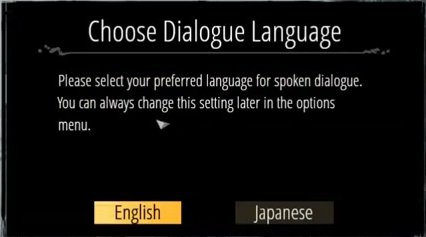
Before starting a new campaign, players are prompted to choose the spoken dialogue language. The dialog presents English and Japanese options and notes that the setting can be changed later in the options menu.
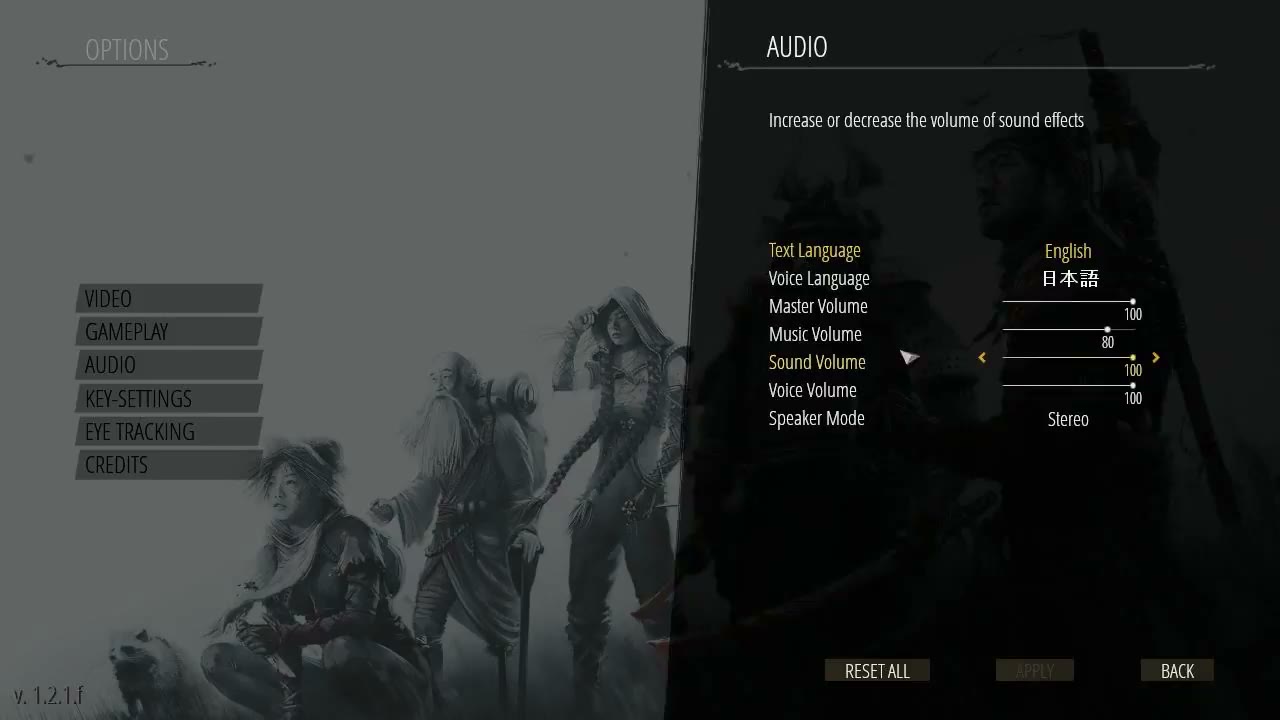
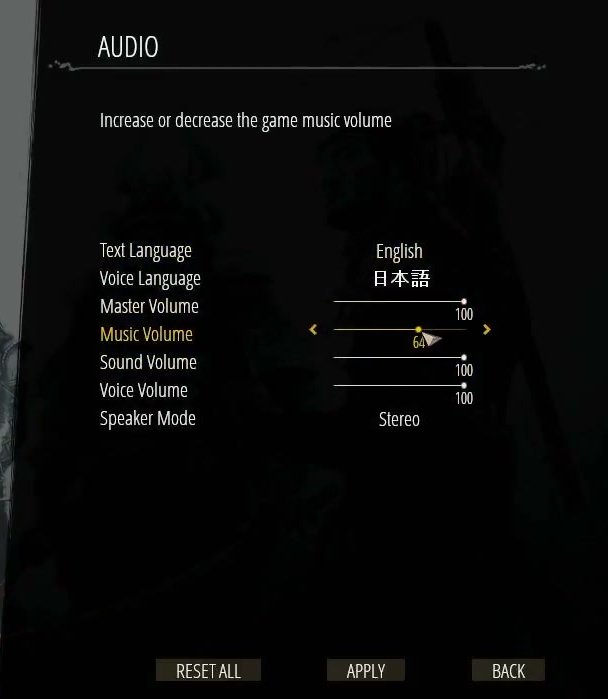
The Audio settings panel exposes Text Language and Voice Language as separate rows. Text Language can be set to English while Voice Language is set to Japanese, confirming that subtitle/UI text and voiceover language are independently configurable.
Subtitle Panel Layout
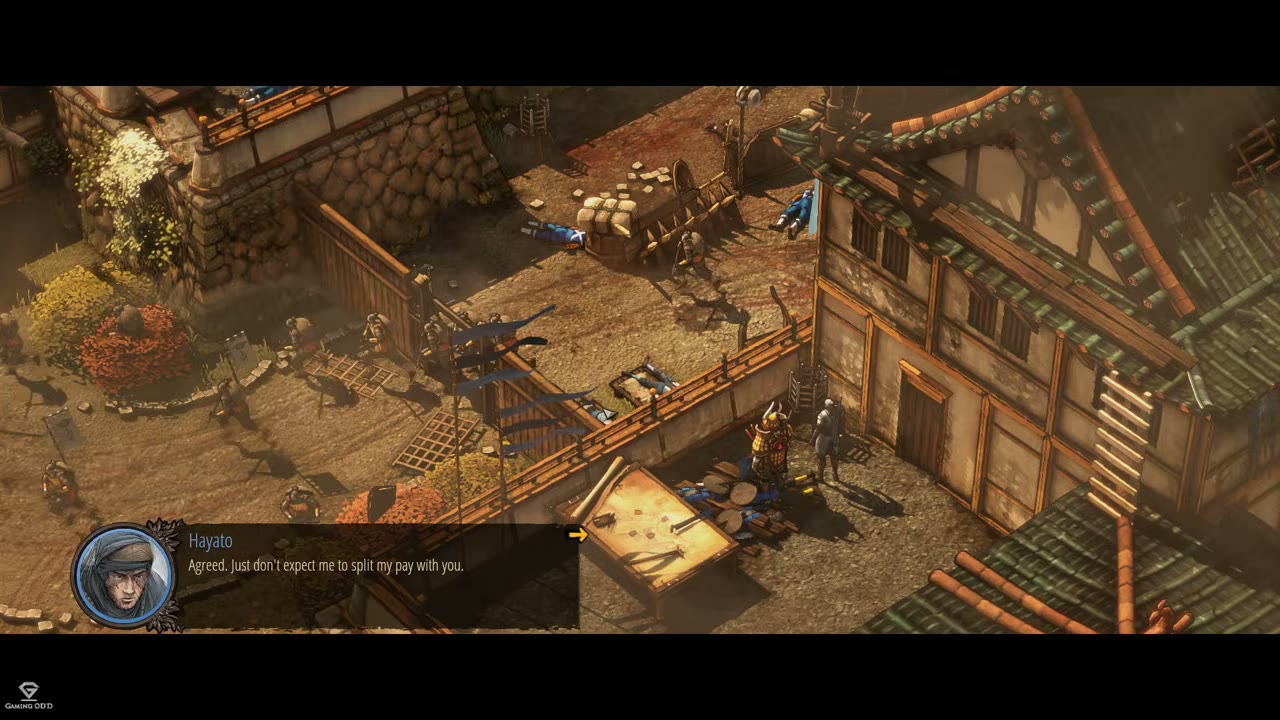
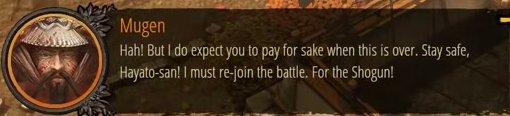
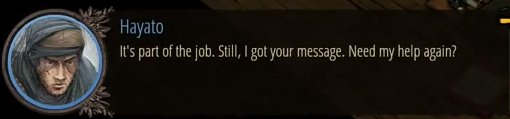
During in-game conversations and scripted scenes, the subtitle panel anchors to the bottom-left of the screen. It contains a circular speaker portrait, the speaker name, the localized subtitle text, and a small yellow advance arrow on the right edge when the player can continue.
Position in Gameplay Context
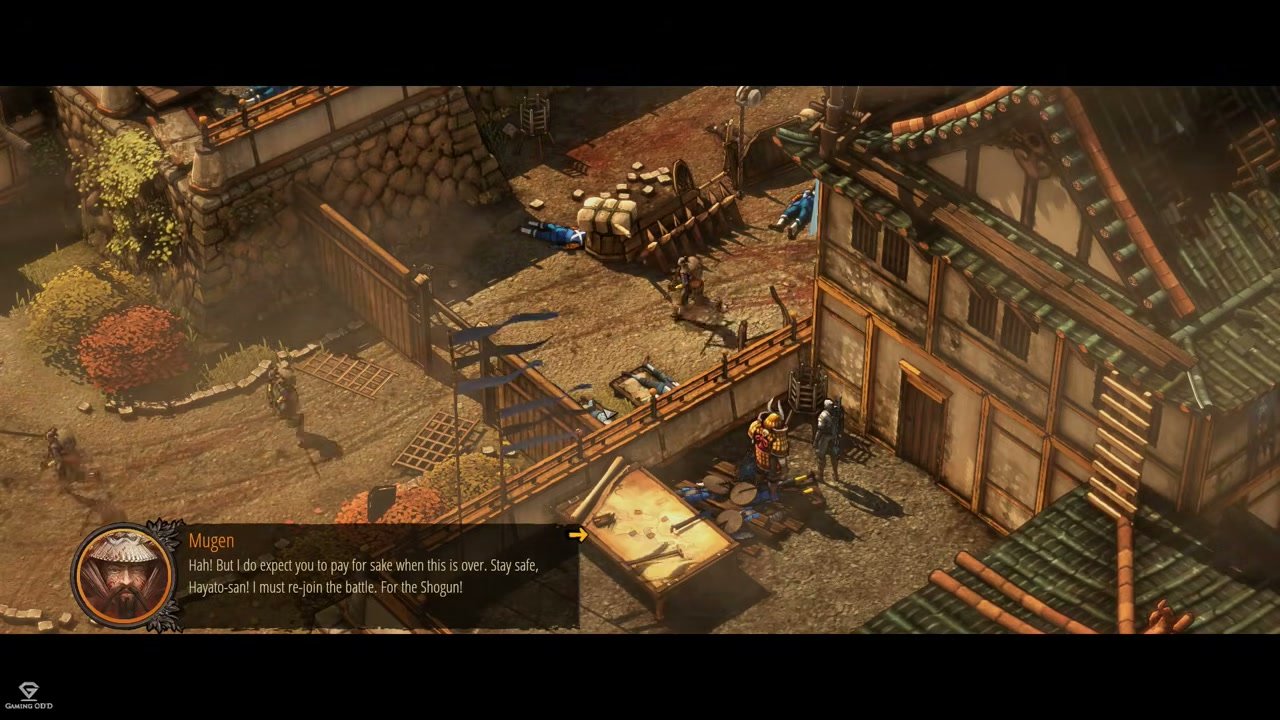
The panel is placed low and left so the isometric gameplay/cutscene view remains readable. In the full-frame context below, the subtitle panel occupies the lower-left corner without covering the main character cluster in the scene.
Loading Screen Tips
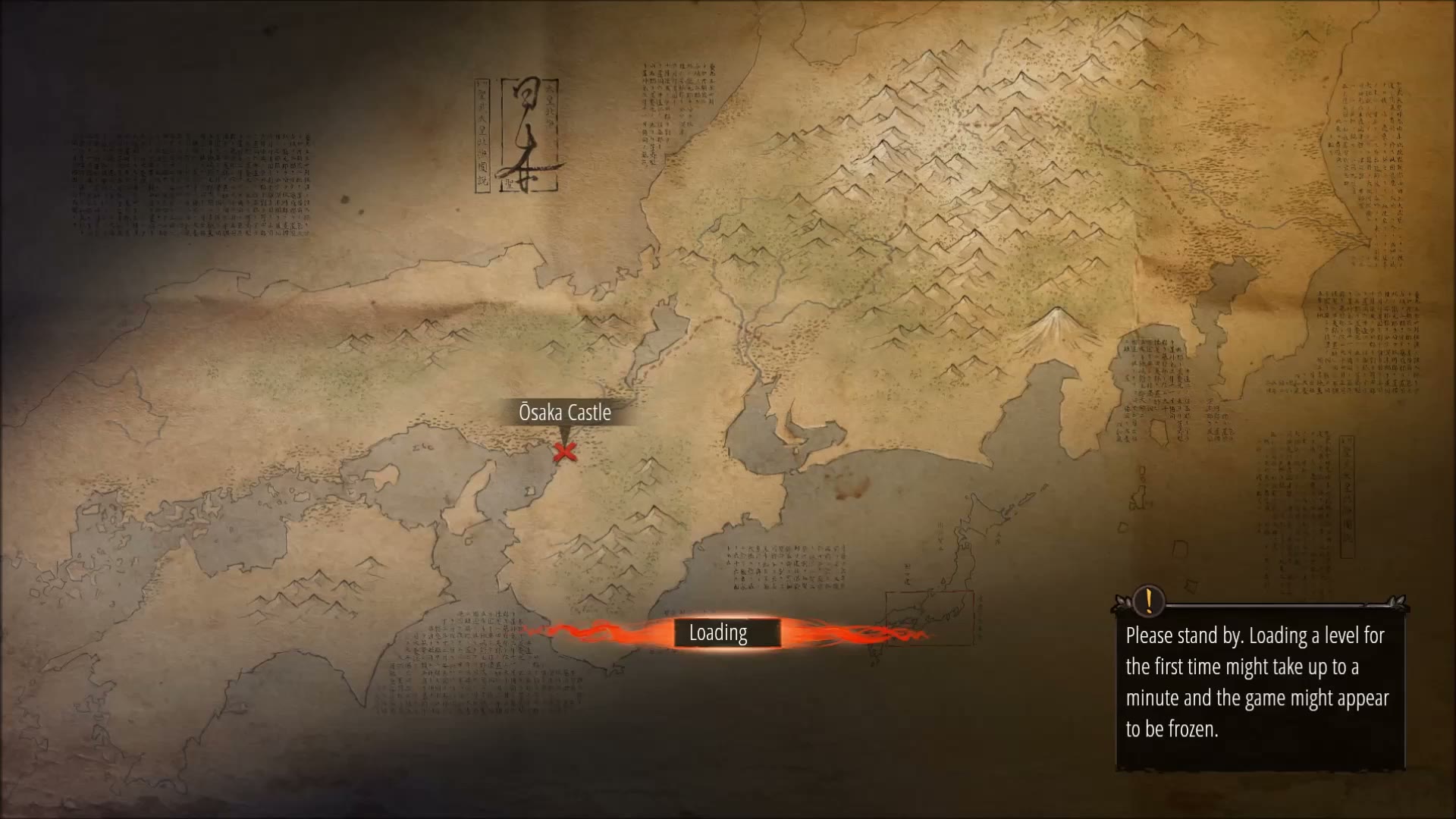
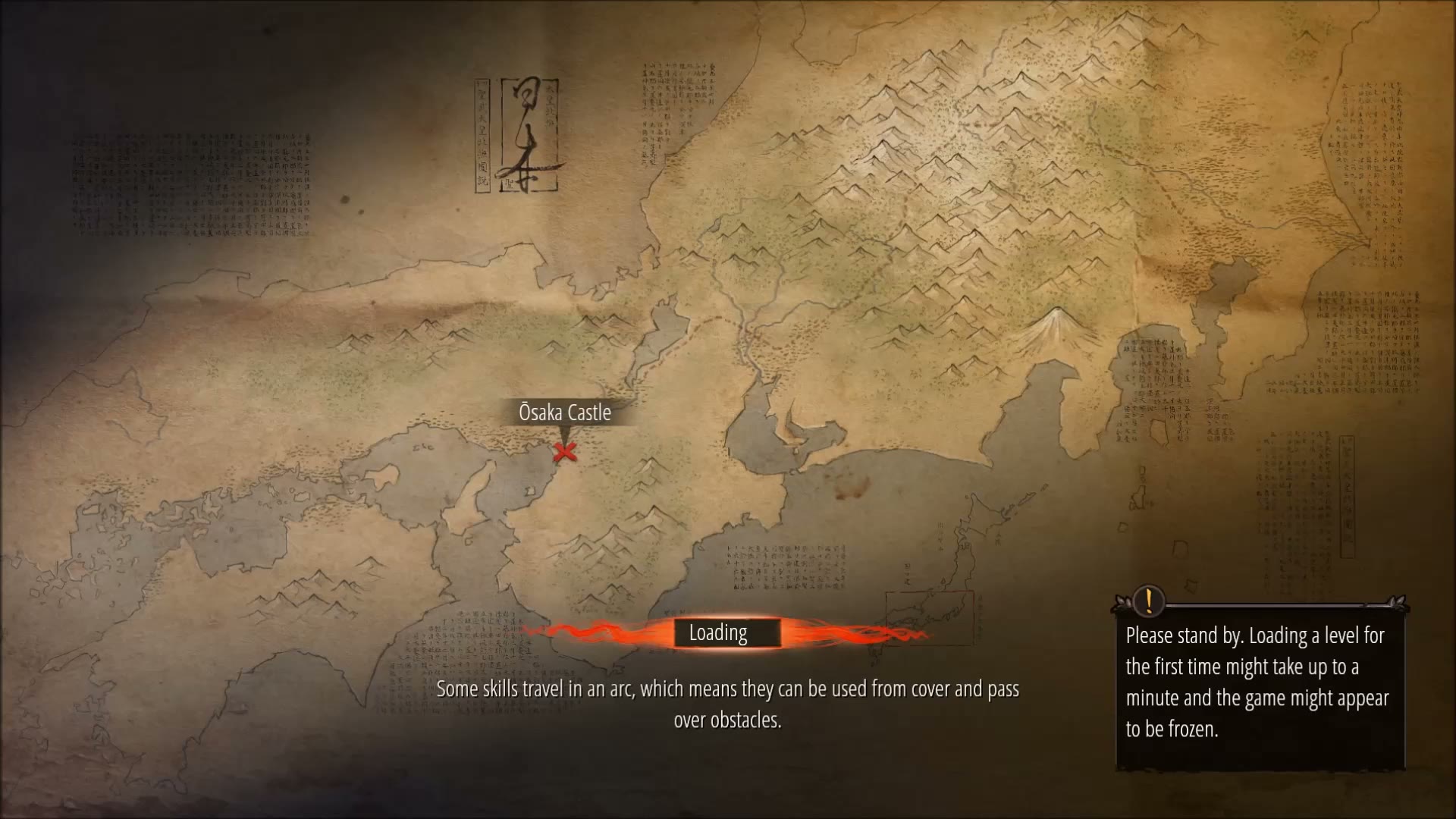
During loading, the dialogue panel is replaced by bottom-screen tip text and a right-side informational note. This is part of the broader text-display system but uses a centered loading layout rather than the character dialogue panel.

Functional Role
- Narrative delivery: Presents story dialogue during cutscenes and scripted conversations.
- Mission briefing: Communicates character exchanges and mission context before or during play.
- Gameplay guidance: Shows loading-screen tips in the selected text language.
- Accessibility support: Lets players follow dialogue visually even when the selected voice language differs from the text language.
Job Story
When a character speaks during a cutscene or gameplay conversation, I want to read the translated dialogue text on screen with clear speaker identification, so that I can follow the narrative and mission instructions regardless of the voiceover language I selected.
Classification
- diegesis: Non-diegetic
- functional_type: Feedback notification
- component_type: Label/text
Wireframe
+--------------------------------------------------+
|                                                  |
|              [Gameplay / Cutscene View]          |
|                                                  |
|                                                  |
|                                                  |
|                                                  |
|  +-------------------------------------------+   |
|  | (O)  Character Name                       |   |
|  |      Subtitle text goes here and can      |   |
|  |      wrap to multiple lines if needed.    | > |
|  +-------------------------------------------+   |
|                                                  |
+--------------------------------------------------+

Legend:
  (O) = Circular character portrait with colored border
  >   = Yellow advance arrow (visible when waiting for input)
Settings Menu (Audio)
+--------------------------------------------------+
|  OPTIONS                                         |
|                                                  |
|  AUDIO                                           |
|    Text Language .............. English          |
|    Voice Language ............. Japanese         |
|    Master Volume .............. [==========] 100 |
|    Music Volume ............... [======----] 64  |
|    Sound Volume ............... [==========] 100 |
|    Voice Volume ............... [==========] 100 |
|    Speaker Mode ............... Stereo           |
|                                                  |
|         [RESET ALL] [APPLY] [BACK]               |
+--------------------------------------------------+
Components
- Character portrait: Circular image with a colored border indicating the speaker (e.g., orange/brown for Mugen, blue for Hayato, gold for Shogun, green for Masaru, purple for Aiko).
- Speaker name label: Character name displayed above or beside the subtitle text in a distinct color.
- Subtitle text block: Localized dialogue rendered in white/light-colored text on a dark semi-transparent background.
- Advance arrow: Small yellow arrow on the right side of the text block indicating more text or required player input.
- Dialogue language selection dialog: Centered modal with spoken dialogue options, observed as English and Japanese.
- Audio language controls: Audio settings rows for Text Language and Voice Language, allowing subtitle/UI text and spoken voice language to be configured independently.
- Loading tip text: Centered bottom-screen text displaying gameplay hints during level loading.
Parameters & Audio
| Parameter | Value | Type | Notes |
|---|---|---|---|
| Voiceover track | Plays in the selected Voice Language (observed options include English and Japanese) independently from subtitle text. | Text | — |
| Subtitle display | No audio feedback for the subtitle panel itself; it is a silent visual overlay synchronized with spoken dialogue or manual advancement. | Text | — |
| Loading screen tips | Appear silently as text-only hints during level transitions. | Text | — |
| Ambient dialogue | Brief character callouts during gameplay may overlap with environmental audio and music; subtitles should remain readable without relying on audio cues. | Text | — |
Dependencies & Logic
- Dialogue trigger system: Activates the subtitle panel from narrative events, cutscene scripts, and in-game character interactions.
- Localization system: Pulls subtitle text from localized string tables based on the selected Text Language setting.
- Voiceover system: Plays spoken dialogue using the selected Voice Language, independently from the subtitle/text language.
- Character identity system: Maps each active speaker to the correct portrait, speaker name, and portrait border color.
- Game state: Dialogue may appear during scripted cutscenes, paused briefings, or in-game conversations while the wider isometric scene remains visible.
- Loading state: During level loading, the dialogue panel is replaced by bottom-screen tip text and a separate informational note panel.
BDD Scenarios
Scenario: Dialogue subtitle displays during a cutscene
- Given
- the player has started a mission with a narrative cutscene
- When
- a character begins speaking
- Then
- the subtitle panel appears at the bottom-left with the speaker's portrait, name, and localized text
Scenario: Advancing dialogue
- Given
- the subtitle panel is showing dialogue with a yellow advance arrow
- When
- the player clicks the left mouse button
- Then
- the subtitle text updates to the next line of dialogue
Scenario: Language independence
- Given
- the player has selected Japanese voiceover and English text language
- When
- dialogue begins during gameplay
- Then
- Japanese voice audio plays while English subtitle text is displayed
Scenario: Closing the subtitle panel
- Given
- the last line of dialogue in a conversation has been displayed
- When
- the player advances past the final line
- Then
- the subtitle panel fades out and gameplay resumes
Scenario: Changing text language in settings
- Given
- the player is in the Audio settings menu
- When
- the player changes the Text Language setting
- Then
- future subtitle text uses the selected text language
- And
- the Voice Language setting remains unchanged
Edge Cases
- Missing localization: If a subtitle string is missing for the selected text language, the game may fall back to English or display an empty subtitle panel.
- Rapid dialogue overlap: If two characters speak in quick succession, the panel should cleanly transition from one speaker's portrait and text to the other without visual glitches.
- Long subtitle text: Very long dialogue lines must wrap correctly within the panel bounds without truncating or overflowing the screen.
- Voiceover vs subtitle desync: If voiceover audio is delayed or missing, subtitles should still display and allow player advancement.
- Subtitle during detection alarm: During high-tension gameplay (e.g., alarm state), ambient dialogue subtitles should not distract from critical HUD elements like detection indicators.
- Accessibility: The game does not appear to offer separate subtitle size or background opacity controls — these may be needed for accessibility compliance.
QA Notes
- Verify subtitle panel appears for all story-critical dialogues in both cutscenes and in-game conversations.
- Test text wrapping with the longest localized strings in each supported language.
- Confirm the advance arrow responds to both mouse click and keyboard input.
- Check that portrait borders correctly match the speaking character in every dialogue scene.
- Validate that changing text language in settings immediately affects subtitle display without requiring a game restart.
- Ensure subtitles do not obstruct interactive gameplay elements (e.g., ability icons, enemy vision cones).
- Test that the panel correctly hides when dialogue ends and does not persist into gameplay.
- Verify loading screen tips display correctly as an alternative text display mode.
Mechanic Links
- Character Specialization System - Character Specialization System — the subtitle panel displays character portraits with unique colored borders that identify which of the five specialists is speaking.
References
- 1.
Let's Play Shadow Tactics Blades Of The Shogun - Ep. 1 - Silent Gameplay & Death! (1:14-1:16)
- 2.
THE SIEGE - Ep. 1 | Let's Play Shadow Tactics: Blades of the Shogun Gameplay (0:48-0:49)
- 3.
Osaka Castle Mission 1 - Shadow Tactics-Blades of The Shogun (Hardcore) (37:14-37:22)
- 4.
Nakasendo Road Mission 2 - Shadow Tactics-Blades of The Shogun (Hardcore) (3:37-3:43)
- 5.
Let's Play Shadow Tactics Blades Of The Shogun - Ep. 1 - Silent Gameplay & Death! (1:20-1:22)