
Tutorial Popup Window
Shadow Tactics: Blades of the Shogun
- Status
- Released
- Year
- 2016
- Genre
- Indie, Strategy
- Platforms
- Windows, macOS, Linux
1. Summary
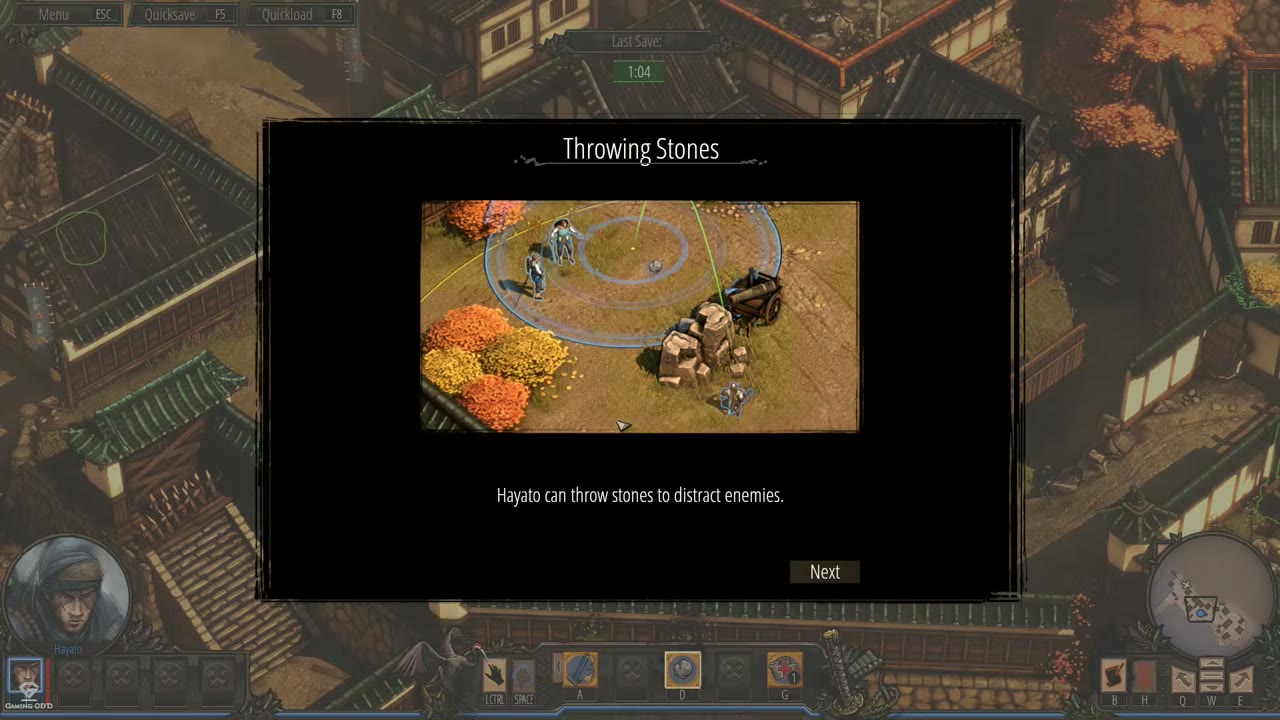
Modal instructional popup window that appears during gameplay to explain new mechanics, abilities, or systems. Features a decorative title, illustrative in-game screenshot, descriptive text, and navigation buttons to browse multiple pages or close the tutorial.
Overview
The Tutorial Popup Window is a non-diegetic modal instructional interface that appears over active gameplay when the player first encounters a new mechanic, ability, or system. It pauses normal interaction and presents a framed, multi-page explanation with a title, illustrative gameplay image, instructional copy, and explicit navigation buttons.
Visual Structure
The popup is centered over a dimmed gameplay scene and occupies roughly 60% of the screen width and two thirds of the screen height in 16:9 footage. The persistent HUD remains faintly visible behind the dark overlay, but the modal visually and functionally takes focus.
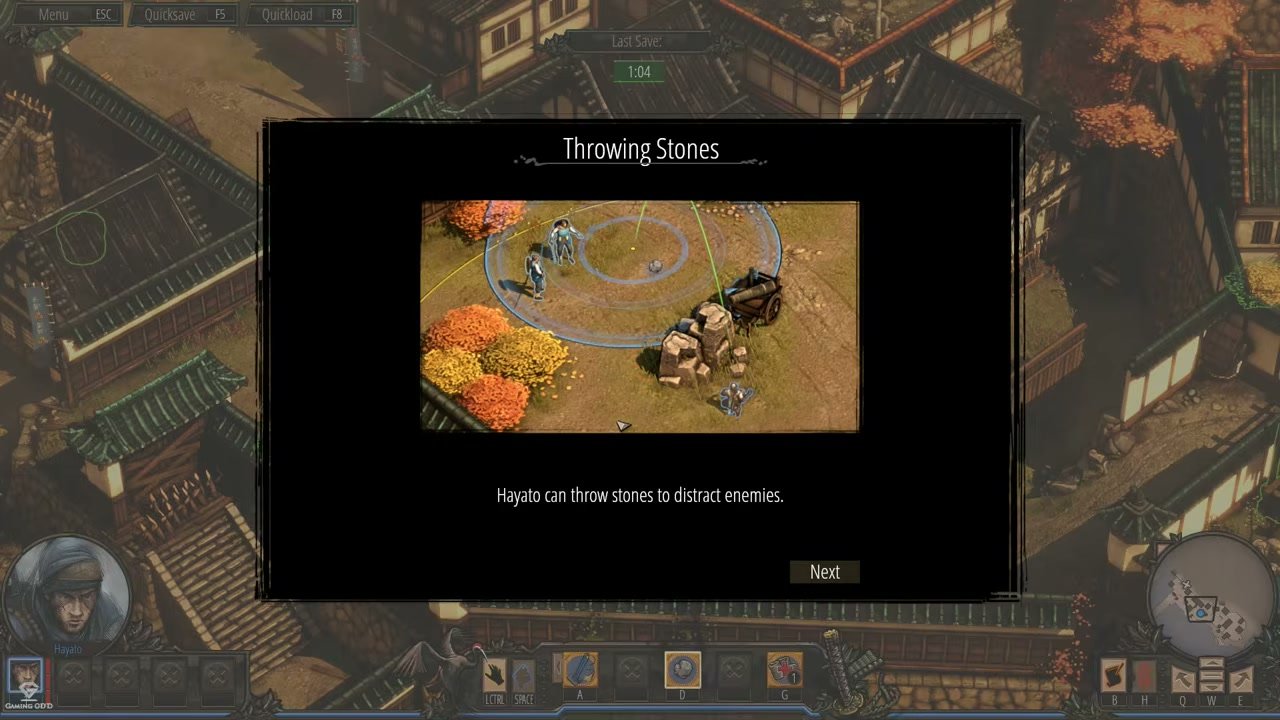
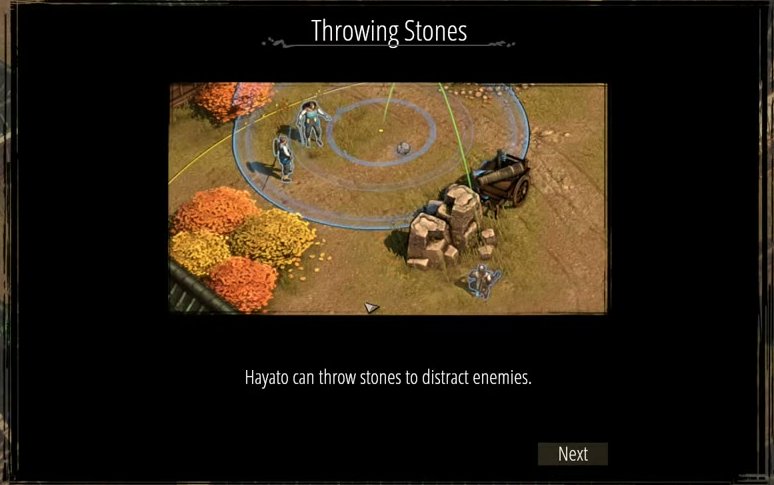
Example: Throwing Stones Tutorial
The Throwing Stones tutorial demonstrates the standard first-page layout: a centered title, a wide illustrative gameplay screenshot, a single-line mechanic explanation, and a bottom-right Next button.
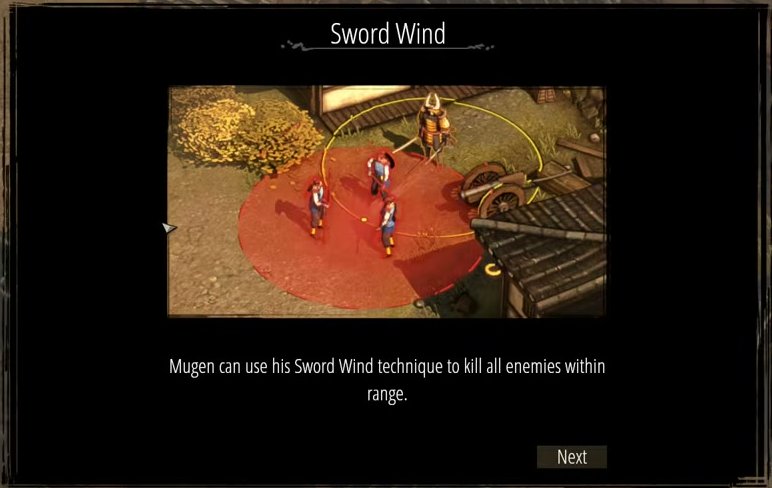
Example: Sword Wind Tutorial
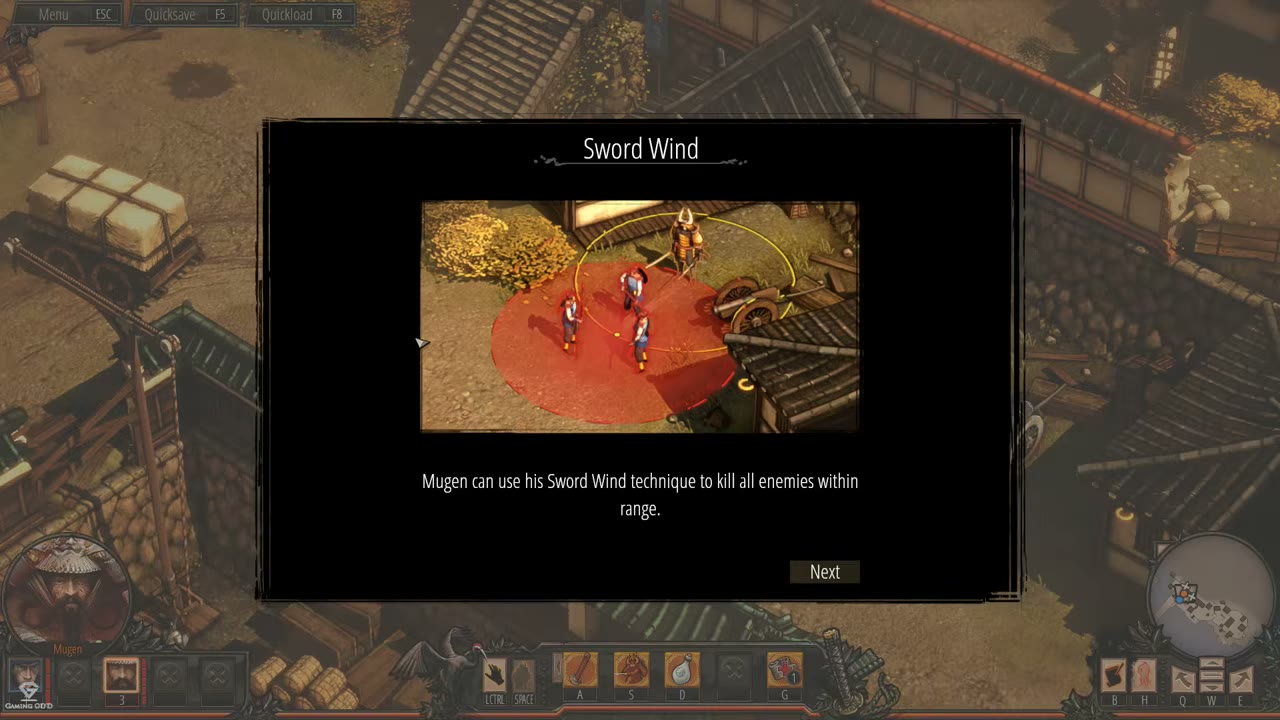
The Sword Wind tutorial uses the same structure for Mugen’s ability, confirming that the popup template is reused across character-specific mechanics.
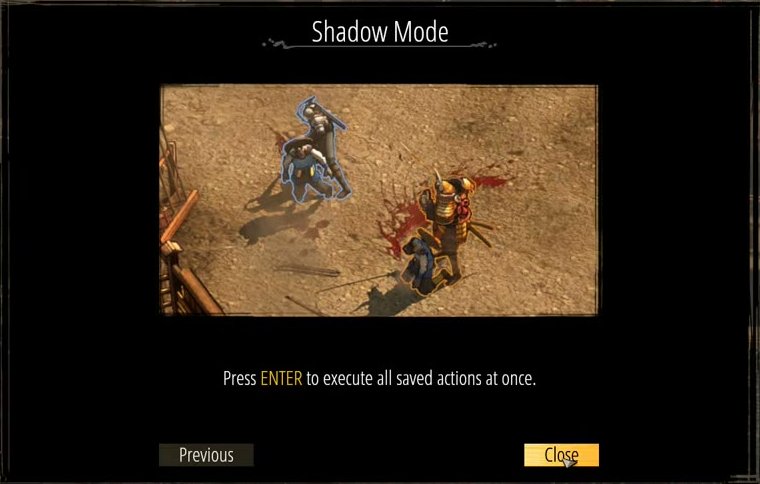
Example: Shadow Mode Final Page
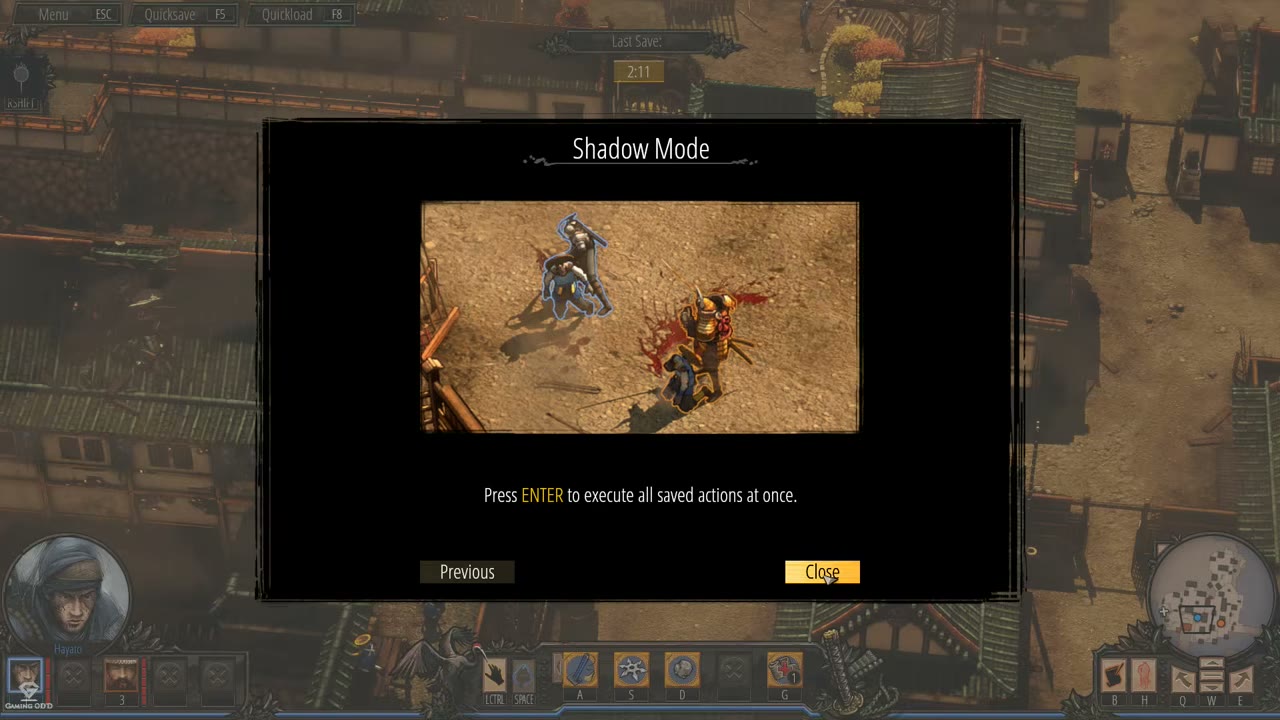
The Shadow Mode tutorial shows the final-page navigation state. Earlier pages advance with Next; the final page exposes Previous and Close, with the active Close button highlighted.
Navigation Flow
- Popups may contain multiple pages of instructional content.
- Next advances from an earlier page to the next explanation.
- Previous appears on later pages and returns to the prior page.
- Close appears on the final page and dismisses the tutorial.
- Once closed, gameplay resumes from the paused point behind the modal.
Distinction from Loading-Screen Tips
The Tutorial Popup Window is distinct from passive loading-screen tips. Loading-screen tips are non-interactive text shown during transitions, while this popup is an interactive, centered modal displayed over live gameplay and requires explicit player input before play continues.
Job Story
When I encounter a new game mechanic or character ability for the first time, I want to read a clear explanation with a visual example, so that I understand how to use it effectively before resuming gameplay.
Classification
- diegesis: Non-diegetic
- functional_type: Feedback notification
Wireframe
+--------------------------------------------------+
|  [Decorative border / dark panel]                |
|                                                  |
|       Title (e.g. "Throwing Stones")             |
|                                                  |
|  +--------------------------------------------+  |
|  |                                            |  |
|  |     Illustrative screenshot / image        |  |
|  |     (shows mechanic in action)             |  |
|  |                                            |  |
|  +--------------------------------------------+  |
|                                                  |
|  Descriptive text explaining the mechanic.       |
|  May include highlighted input prompts.          |
|                                                  |
|  [ Previous ]    [ Next ]    or    [ Close ]     |
+--------------------------------------------------+
- Centered on screen, occupying roughly 60% width and 67% height in the captured 16:9 footage.
- Dark semi-transparent overlay behind the popup dims the gameplay.
- Decorative frame borders use a stylized feudal Japanese aesthetic.
- Earlier pages use Next; final pages can show Previous plus Close.
Components
- Title bar — Stylized centered text header at the top of the modal, e.g. "Throwing Stones", "Sword Wind", or "Shadow Mode".
- Illustrative image — In-game screenshot panel showing the explained mechanic or command sequence in action.
- Description text block — Explanatory paragraph below the image; may include highlighted input prompts such as ENTER.
- Navigation buttons — Bottom-row buttons for paging and dismissal:
- "Next" — Advance to the next tutorial page.
- "Previous" — Return to the previous tutorial page on multi-page tutorials.
- "Close" — Dismiss the final page and return to gameplay.
- Background overlay — Dark, semi-transparent full-screen layer over the active playfield, visually separating the modal from gameplay and indicating that gameplay input is blocked.
- Decorative border frame — Ornate black panel and thin decorative linework matching the game's feudal Japanese UI aesthetic.
Parameters & Audio
| Parameter | Value | Type | Notes |
|---|---|---|---|
| Confirmed visual feedback | Opening the popup dims the entire gameplay scene behind the modal; the modal remains centered and visually dominant while the HUD is still faintly visible underneath. | Text | — |
| Button feedback | Active navigation buttons use brighter highlighting when focused/hovered, as seen on the "Close" button in the Shadow Mode example. | Text | — |
| Page transition feedback | Multi-page tutorials swap the bottom navigation controls, e.g. "Next" on earlier pages and "Previous" + "Close" on the final page. | Text | — |
| Audio evidence | No distinct open, page-turn, or close sound is confirmed in the available footage. | Text | — |
Dependencies & Logic
- Tutorial trigger system: Game must detect when player first encounters a new mechanic or enters a tutorial zone
- Game pause state: Time and gameplay must freeze while popup is open
- Mechanic unlock state: Popup typically appears only the first time a mechanic is encountered; must track via save/progression data
- Localization system: All text and button labels must support translated strings
- Ability availability: The explained mechanic must be unlocked or available to the player after dismissal
BDD Scenarios
Scenario: Tutorial appears on first mechanic encounter
- Given
- the player has not yet encountered the Throwing Stones mechanic
- When
- the player reaches the tutorial trigger zone
- Then
- a modal tutorial popup appears with title, image, and description
- And
- gameplay is paused behind a dark overlay
Scenario: Player navigates tutorial pages
- Given
- the tutorial popup is open on page 1 of a multi-page tutorial
- When
- the player clicks the "Next" button
- Then
- the popup advances to the next page with new content
- And
- the "Previous" button is available on later pages
Scenario: Player dismisses tutorial
- Given
- the player is on the final page of the tutorial
- When
- the player clicks the "Close" button
- Then
- the popup disappears
- And
- gameplay resumes from the paused state
Scenario: Tutorial does not reappear
- Given
- the player has already seen and closed the Throwing Stones tutorial
- When
- the player encounters the same mechanic again
- Then
- no tutorial popup is shown
- And
- gameplay continues uninterrupted
Edge Cases
- Multiple simultaneous triggers: If two new mechanics are triggered at the exact same moment, the game should queue tutorials or show them sequentially rather than overlapping
- Player rapid-skip: If player mashes the Close/Next button, ensure the popup responds correctly and does not leave a frozen overlay
- Save/reload during tutorial: If player quicksaves while popup is open and reloads, the tutorial state should persist (not shown again) and gameplay should resume normally
- Resolution scaling: Popup must remain centered and readable at all supported screen resolutions and aspect ratios
- Localization overflow: Long translated text in languages like German or Russian must not overflow the description text box or clip the image
- Tutorial in combat: If a tutorial trigger occurs during an active combat/alert state, the popup should either delay until combat ends or not trigger (to avoid breaking tension)
QA Notes
- Verify popup appears exactly once per mechanic per playthrough.
- Confirm gameplay time is paused while popup is open (enemy patrols, timers, etc. do not advance).
- Test all navigation buttons (Previous, Next, Close) respond to mouse input.
- Check that the dark background overlay blocks all gameplay input (no accidental character movement or ability use).
- Validate popup positioning is centered across 16:9, 16:10, and 21:9 aspect ratios.
- Verify illustrative images are high-quality and clearly demonstrate the described mechanic.
- Test that closing the popup returns the player to the exact game state prior to trigger (no camera jumps, no character position changes).
- Confirm tutorial triggers respect difficulty/settings behavior if tutorials can be disabled or reduced.
Mechanic Links
- Character Ability System - Tutorial popups explain newly introduced character abilities such as Hayato's Throwing Stones and Mugen's Sword Wind before the player resumes using those abilities in gameplay.
- Shadow Mode Coordination System - The Shadow Mode tutorial popup teaches execution of saved actions, directly onboarding the coordination mechanic represented by Shadow Mode.
- Straw Hat Guards - The tutorial popup explicitly introduces Straw Hats and explains that they do not react to lures like Mugen's sake and are less affected by noise.
- Area-of-Effect Crowd Control Attack - The Tutorial Popup Window introduces Sword Wind with text and visuals explaining the red circle, dash-to-center behavior, kill radius, and long cooldown.