
Post Mission Statistics Screen

Desperados 3
- Status
- Released
- Year
- 2020
- Genre
- Strategy
- Platforms
- Windows, macOS, Linux
1. Summary
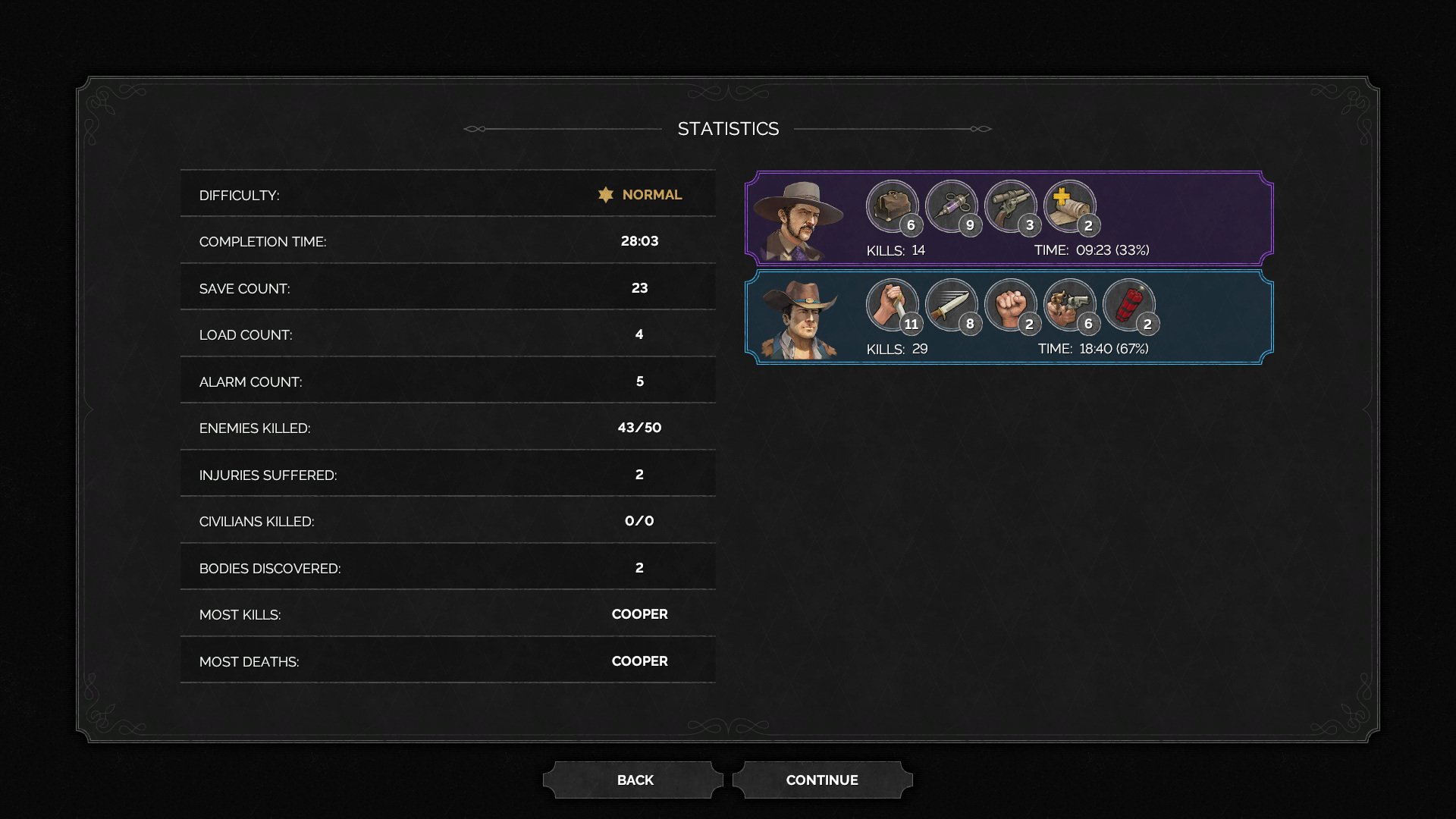
Post-mission results screen that summarizes how the completed mission was played. It combines global mission totals, such as difficulty, completion time, save/load counts, alarms, kills, injuries, civilians killed, bodies discovered, and "most" awards, with per-character contribution strips for Cooper and the second active party member.
Overview
The post-mission statistics screen is a non-diegetic results page shown after mission completion. It presents a completed-run audit: mission-wide counters on the left and character-specific contribution cards on the right, with BACK and CONTINUE controls below the panel.
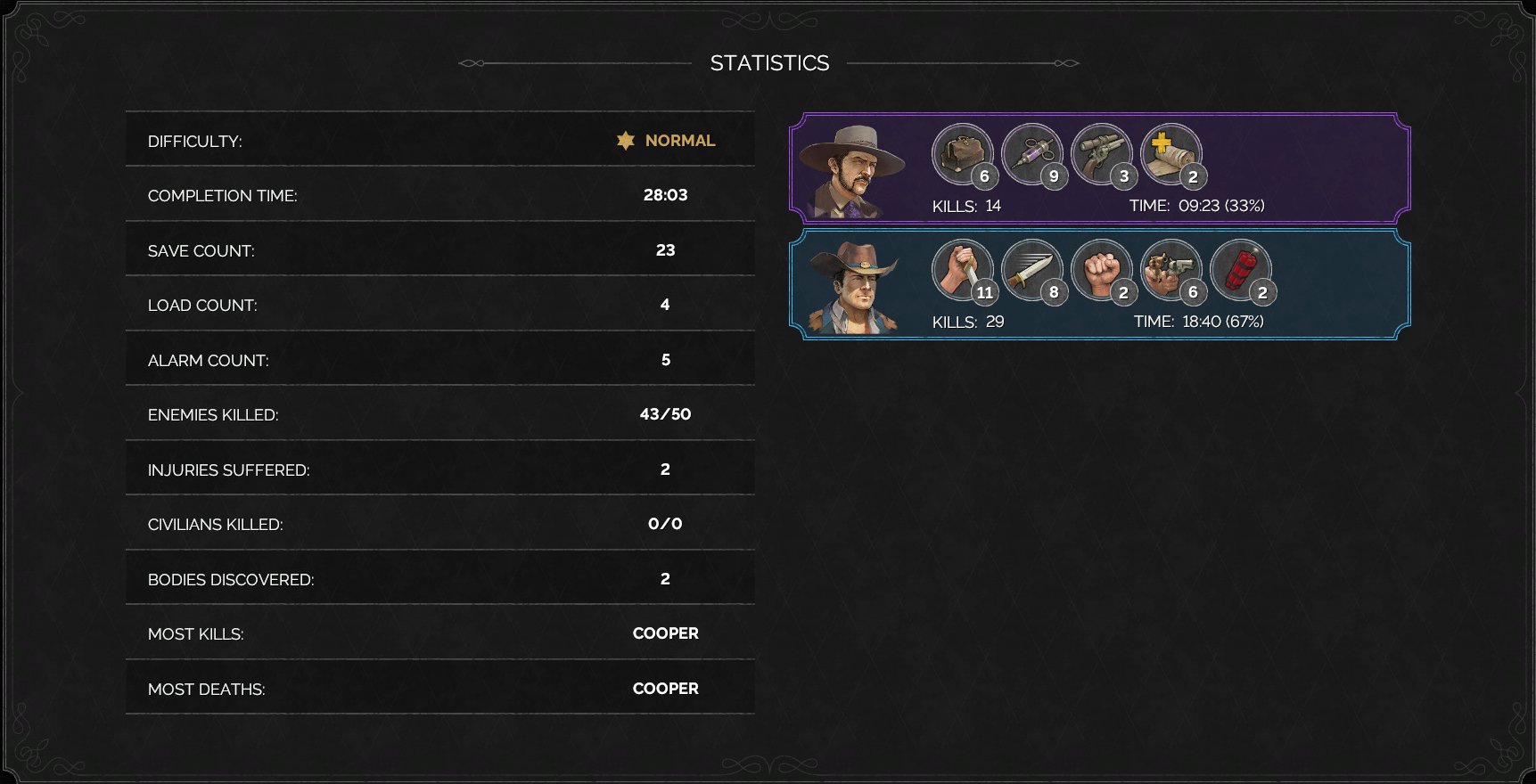
The central STATISTICS panel uses a dark Western ornamental frame. The left table emphasizes global performance metrics such as difficulty, completion time, save/load count, alarm count, enemies killed, injuries suffered, civilians killed, bodies discovered, most kills, and most deaths. The right side summarizes participating characters with portraits, colored card frames, circular ability/item icons with count badges, plus kills and time contribution.
Job Story
When I finish a mission, I want to review exact performance totals and character contribution breakdowns, so that I can understand how cleanly I completed the level and decide whether to replay for better badges or personal goals.
Classification
- diegesis: Non-diegetic
- functional_type: Management screen
- component_type: List/grid
Wireframe
+--------------------------------------------------------------------------------+
|                                  STATISTICS                                     |
|                                                                                |
|  DIFFICULTY:                         NORMAL     +----------------------------+ |
|  COMPLETION TIME:                    28:03      | Character card: Cooper     | |
|  SAVE COUNT:                         23         | portrait + icons/counts     | |
|  LOAD COUNT:                         4          | KILLS / TIME                | |
|  ALARM COUNT:                        5          +----------------------------+ |
|  ENEMIES KILLED:                     43/50      | Character card: ally       | |
|  INJURIES SUFFERED:                  2          | portrait + icons/counts     | |
|  CIVILIANS KILLED:                   0/0        | KILLS / TIME                | |
|  BODIES DISCOVERED:                  2          +----------------------------+ |
|  MOST KILLS:                         COOPER                                   |
|  MOST DEATHS:                        COOPER                                   |
|                                                                                |
+--------------------------------------------------------------------------------+
                              [ BACK ]  [ CONTINUE ]
Components
- Screen title: STATISTICS.
- Mission total rows: label/value pairs for difficulty, completion time, save count, load count, alarm count, enemies killed, injuries suffered, civilians killed, bodies discovered, most kills, and most deaths.
- Character contribution card: portrait, colored border, ability/item icons, count badges, kills total, and time share.
- Footer navigation buttons: BACK and CONTINUE.
- Decorative frame: dark panel background, ornamental corners, and divider lines.
Parameters & Audio
| Parameter | Value | Type | Notes |
|---|---|---|---|
| Screen transition likely uses the same post-mission menu fade/slide treatment as the badges result page; no animation is directly evidenced in the static screenshot. | Screen transition likely uses the same post-mission menu fade/slide treatment as the badges result page; no animation is directly evidenced in the static screenshot. | Text | — |
| Button activation should use standard menu confirmation audio. | Button activation should use standard menu confirmation audio. | Text | — |
| Focus changes between BACK and CONTINUE should use standard navigation ticks. | Focus changes between BACK and CONTINUE should use standard navigation ticks. | Text | — |
| No diegetic or haptic-only feedback is indicated by the evidence. | No diegetic or haptic-only feedback is indicated by the evidence. | Text | — |
Dependencies & Logic
- Requires a completed mission run with persisted result counters.
- Reads mission metadata such as selected difficulty and total enemies/civilians.
- Reads performance counters from gameplay systems: completion time, saves, loads, alarms, kills, injuries, and discovered bodies.
- Reads per-character participation data: active time, kills, and ability/item usage counts.
- Depends on party composition for how many character cards are shown.
BDD Scenarios
Scenario: Show completed mission totals
- Given
- the player has completed a mission
- When
- the statistics page opens
- Then
- the screen displays difficulty, completion time, save count, load count, alarms, kills, injuries, civilians killed, bodies discovered, most kills, and most deaths as read-only rows
Scenario: Show character contributions
- Given
- the completed mission included playable characters
- When
- the statistics page is visible
- Then
- each visible character card shows a portrait, ability or item counts, kills, and time contribution
Scenario: Continue from statistics
- Given
- the statistics page is visible
- When
- the player activates `CONTINUE`
- Then
- the post-mission flow advances to the next destination
Scenario: Return to previous results page
- Given
- the statistics page is visible
- When
- the player activates `BACK`
- Then
- the UI returns to the previous post-mission results page
Edge Cases
- Zero-value counters should remain readable and explicit rather than being omitted.
- Missions with no civilians should show a clear denominator, as in 0/0.
- Long character names or high count values must not overlap circular icon badges.
- If fewer or more characters participated, the right-side card stack must remain balanced against the large left-side totals table.
- Replayed missions should ensure counters reflect the current completed run, not earlier attempts.
QA Notes
- Verify all mission-wide counters match gameplay telemetry for the completed run.
- Verify per-character kills, time percentage, and icon counts match the replay/stat source data.
- Verify BACK and CONTINUE preserve the correct post-mission flow order.
- Verify keyboard/controller focus can move between footer buttons and activate each action.
- Verify zero values and maximum plausible values remain legible at target resolutions.
Mechanic Links
- Tactical Stealth Mission Loop - The post mission statistics screen summarizes completion performance after the mission loop resolves.
- Lethal and Non-Lethal Combat Resource Limits - Post Mission Statistics surface the downstream results of combat-resource choices such as kills, alarms, and mission completion outcomes.
- Mission Challenges, Badges, and Replay Goals - The Post Mission Statistics Screen provides the numerical audit of the run — difficulty, time, saves, alarms, kills, and per-character contribution — which informs the player's decision to replay for better badge outcomes.
References
- 1.
Desperados III (L214-218 of 283)
- 2.