
Audio Language And Subtitle Settings

Desperados 3
- Status
- Released
- Year
- 2020
- Genre
- Strategy
- Platforms
- Windows, macOS, Linux
1. Summary
Options-screen audio configuration for Desperados III, covering text/voice language, speaker mode, volume sliders, save/load sound toggling, and subtitle choices. Language and subtitle decisions are handled through centered confirmation modals with explicit confirm/cancel actions.
Overview
The Audio settings UI is a non-diegetic Options menu for configuring written text language, keyboard language, voice/dialogue language, speaker output, volume mix levels, save/load sounds, and subtitle behavior. It uses the same dark western menu treatment as the rest of Desperados III: a left-side category list, a large central settings panel, arrowed selector boxes, slider rows, and modal dialogs for decisions that need confirmation.
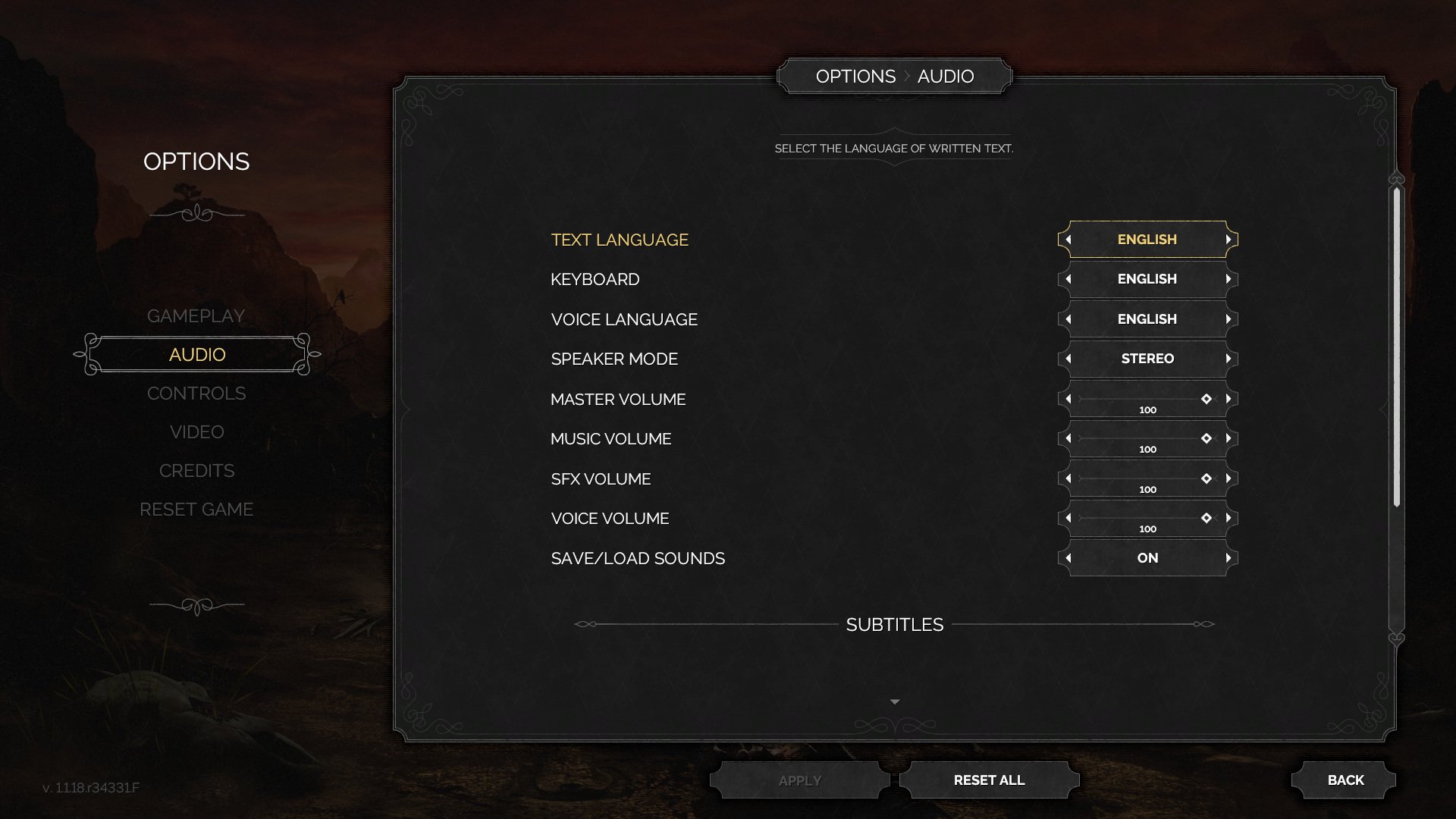
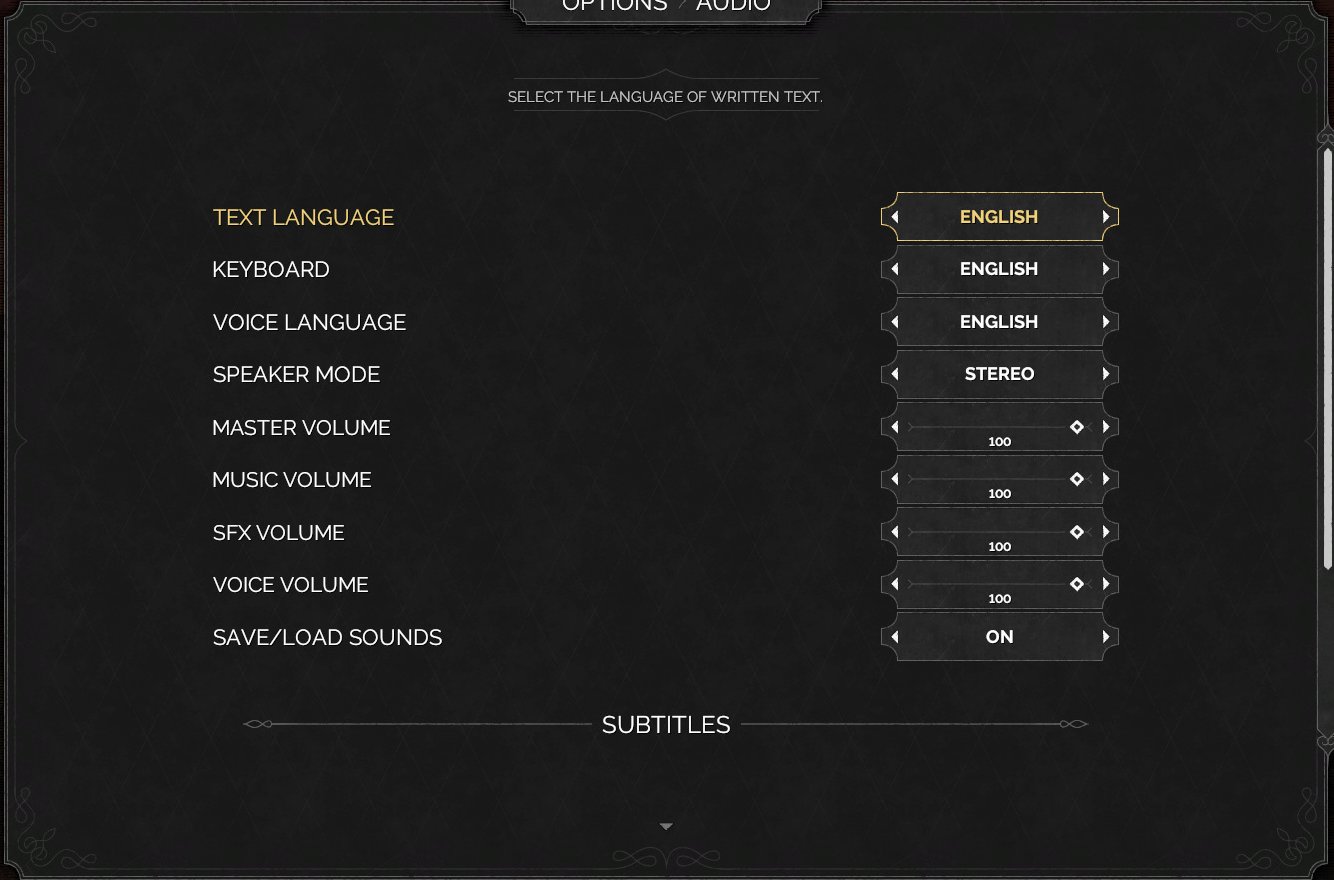
The main Audio panel stacks settings as label/value rows. The screenshot shows TEXT LANGUAGE, KEYBOARD, VOICE LANGUAGE, and SPEAKER MODE as arrow-selectable values, followed by volume controls for MASTER VOLUME, MUSIC VOLUME, SFX VOLUME, and VOICE VOLUME. SAVE/LOAD SOUNDS appears as an on/off setting, and a SUBTITLES divider indicates more subtitle controls below the visible portion of the scrollable panel.
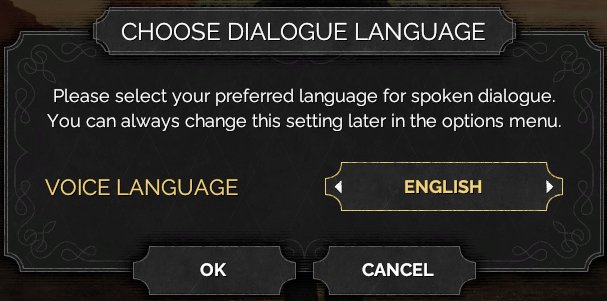
Dialogue language selection is handled by a dedicated modal over the menu. The modal title reads Choose Dialogue Language, contains a dropdown selector, and has OK and Cancel buttons for committing or abandoning the choice.
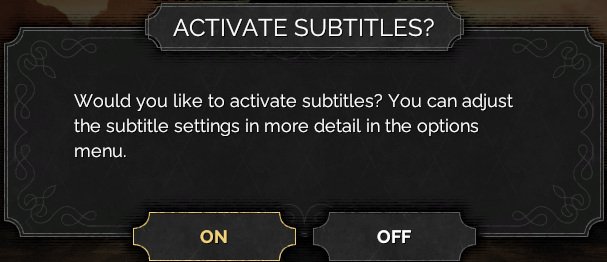
Subtitle setup uses a separate confirmation modal that asks the player whether subtitles should be enabled. The choices are explicit Enable, Disable, and Cancel buttons, making subtitle preference a direct binary decision with an escape path.
Job Story
When I am configuring Desperados III before or between missions, I want to adjust spoken language, subtitle behavior, speaker mode, and per-channel volume, so that dialogue and feedback are understandable and balanced for my setup.
Classification
- diegesis: Non-diegetic
- functional_type: Frontend shell
- component_type: List/grid
Wireframe
OPTIONS SIDEBAR          OPTIONS > AUDIO
----------------        -----------------------------------------
GAMEPLAY                helper text for focused row
AUDIO [selected]         Text Language        < English >
CONTROLS                 Keyboard             < English >
VIDEO                    Voice Language       < English >
CREDITS                  Speaker Mode         < Stereo  >
RESET GAME               Master Volume        [-----100--]
                         Music Volume         [-----100--]
                         SFX Volume           [-----100--]
                         Voice Volume         [-----100--]
                         Save/Load Sounds     < On >
                         -------- SUBTITLES --------
                         scroll indicator

                         [Apply]    [Reset All]       [Back]

Modal overlay:
                 +------------------------------+
                 | Choose Dialogue Language     |
                 | [dropdown value]             |
                 | [OK]              [Cancel]   |
                 +------------------------------+
Components
- Options category sidebar with AUDIO selected.
- Breadcrumb/header label: OPTIONS > AUDIO.
- Context help text above the active row.
- Language selector rows: text language, keyboard language, voice/dialogue language.
- Speaker mode selector.
- Volume sliders: master, music, SFX, voice.
- Save/load sounds on/off selector.
- Subtitle section divider and lower scrollable subtitle settings.
- Vertical scrollbar for the settings panel.
- Bottom actions: APPLY, RESET ALL, BACK.
- Dialogue-language modal: title, dropdown field, OK, Cancel.
- Subtitle modal: explanatory prompt, Enable, Disable, Cancel.
Parameters & Audio
| Parameter | Value | Type | Notes |
|---|---|---|---|
| Master volume, music volume, SFX volume, and voice volume use separate numeric slider values. | Master volume, music volume, SFX volume, and voice volume use separate numeric slider values. | Text | — |
| Speaker mode is selectable, with STEREO visible in the source screenshot. | Speaker mode is selectable, with STEREO visible in the source screenshot. | Text | — |
| Save/load sounds can be toggled independently from gameplay volume. | Save/load sounds can be toggled independently from gameplay volume. | Text | — |
| Dialogue language is selected via modal dropdown rather than directly in the row. | Dialogue language is selected via modal dropdown rather than directly in the row. | Text | — |
| UI feedback is visual-first | highlighted row text, arrowed value boxes, modal focus, and bottom action button states. | Text | — |
| No dedicated sound preview control is visible in the captured evidence. | No dedicated sound preview control is visible in the captured evidence. | Text | — |
Dependencies & Logic
- Available written-text, keyboard, and voice language values depend on the localized build and installed language packs.
- Audio output modes depend on supported platform/audio device configurations.
- APPLY depends on whether one or more settings have changed from the currently committed configuration.
- Subtitle modal choice controls whether subtitle rendering is enabled during dialogue/cutscenes.
- Volume settings feed into the game audio mixer channels for master, music, SFX, and voice playback.
BDD Scenarios
Scenario: Adjust an audio slider
- Given
- the player is on Options > Audio
- When
- the player changes the master volume slider
- Then
- the master volume value updates visually
- And
- the Apply action becomes available if the value differs from the saved setting
Scenario: Confirm dialogue language
- Given
- the player opens the Choose Dialogue Language modal
- When
- the player selects a language and confirms with OK
- Then
- the modal closes
- And
- the selected dialogue language is applied or queued for Apply according to the settings flow
Scenario: Cancel dialogue language selection
- Given
- the Choose Dialogue Language modal is open
- When
- the player activates Cancel
- Then
- the modal closes
- And
- the previous dialogue language remains unchanged
Scenario: Choose subtitle preference
- Given
- the subtitle prompt modal is open
- When
- the player chooses Enable or Disable
- Then
- the modal closes
- And
- subtitle behavior changes to the selected state
Scenario: Return from audio settings
- Given
- the player is on Options > Audio
- When
- the player activates Back
- Then
- the game returns to the previous Options menu level without opening a gameplay screen
Edge Cases
- Language dropdown should handle long localized names without clipping the modal or overlapping buttons.
- If a language pack is unavailable, the selector should not expose a broken option.
- Canceling a modal must not leave partially changed language/subtitle state.
- Scroll position should preserve the selected/focused row when moving into lower subtitle settings and back.
- Audio sliders should clamp at valid min/max values and avoid displaying values outside the expected numeric range.
- Reset All should restore audio defaults consistently across selectors, sliders, and toggles.
QA Notes
- Verify all rows are keyboard/controller navigable, including left/right selector arrows and slider adjustment.
- Verify APPLY, RESET ALL, and BACK state changes after modifying then canceling or confirming values.
- Verify dialogue language and subtitle modals trap focus until an explicit choice is made.
- Verify subtitle enable/disable affects subsequent cutscene/dialogue subtitle rendering.
- Verify audio mixer channels respond independently for master, music, SFX, and voice volume.
- Verify localized strings fit in row labels, dropdowns, modal titles, and buttons.
References
- 1.
Desperados III (L70-80 of 283)
- 2.
Desperados III (L114-118 of 283)
- 3.
- 4.
- 5.