
Options Category Menu

Desperados 3
- Status
- Released
- Year
- 2020
- Genre
- Strategy
- Platforms
- Windows, macOS, Linux
1. Summary
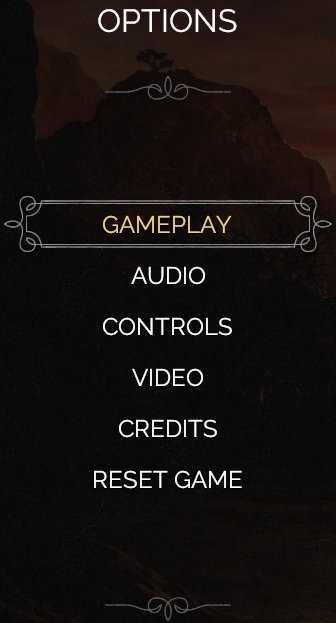
Options screen category selector for Desperados III, shown as a left-aligned vertical list over the dark Western menu backdrop. It routes players into Gameplay, Audio, Controls, Video, Credits, and Reset Game subpages, with the current focus highlighted by a decorative frame.
Overview
The Options Category Menu is the top-level settings hub in Desperados III. It appears as a compact, non-diegetic frontend panel on the left side of the screen while the rest of the view remains a dark Western backdrop.
The menu presents six major destinations: Gameplay, Audio, Controls, Video, Credits, and Reset Game. The focused category is visually emphasized with yellow text and an ornate horizontal frame, while inactive categories remain plain white uppercase labels. In the captured state, Gameplay is focused by default.
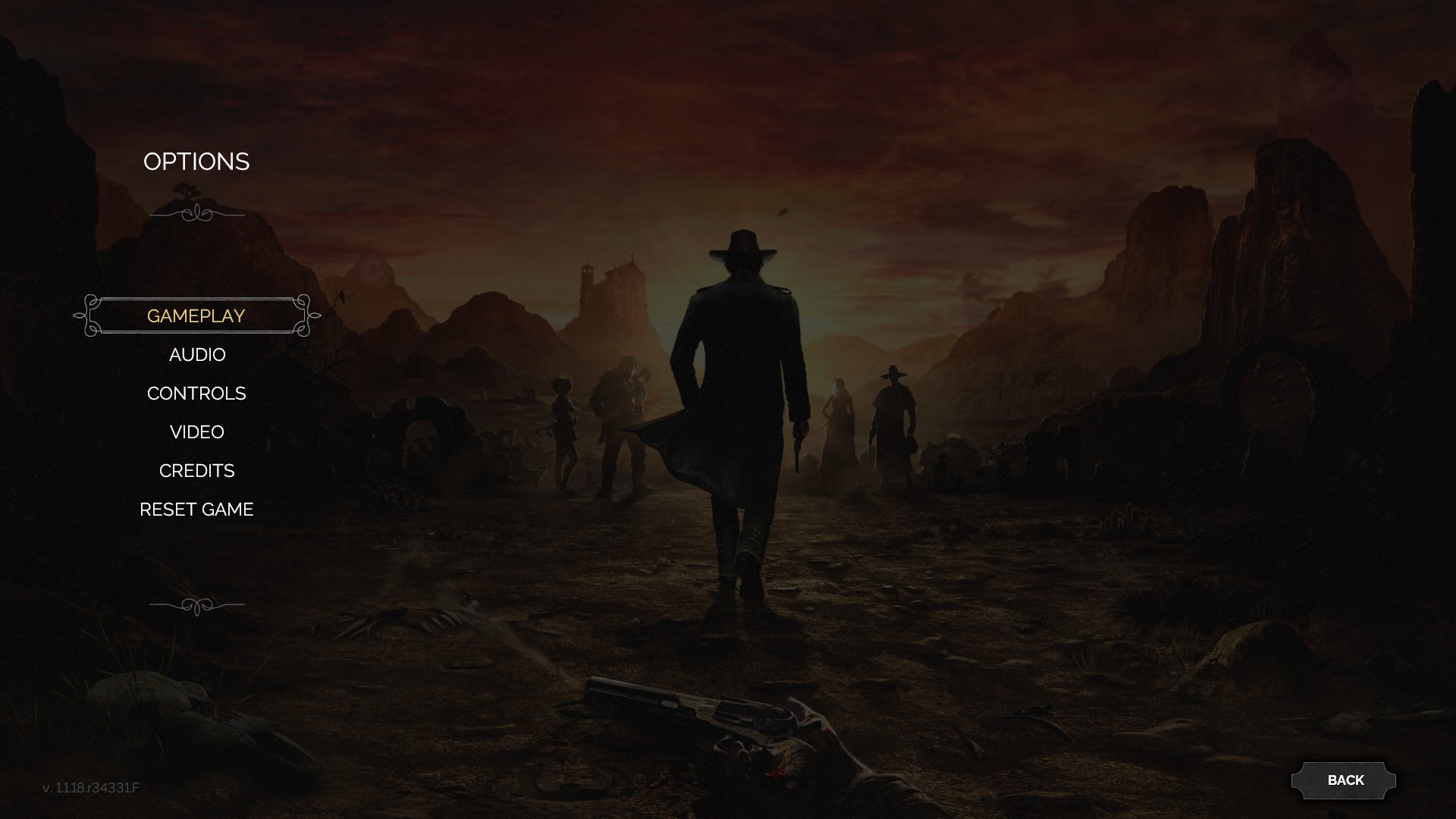
The Back control is not part of the left-side category stack; it is positioned separately in the bottom-right corner for returning to the previous frontend screen.
Job Story
When I want to adjust game configuration from the main menu, I want a compact category selector that separates gameplay, audio, control, display, credits, and reset actions, so that I can quickly reach the exact options area without scanning one long settings page.
Classification
- diegesis: Non-diegetic
- functional_type: Frontend shell
- component_type: List/grid
Wireframe
+--------------------------------------------------------------+
| OPTIONS                                                      |
|                                                              |
|   +------------------+                                       |
|   |    GAMEPLAY      |  <- focused row                       |
|        AUDIO                                                 |
|        CONTROLS                                              |
|        VIDEO                                                 |
|        CREDITS                                               |
|        RESET GAME                                            |
|                                                              |
|                                                   [ BACK ]   |
+--------------------------------------------------------------+
Components
- Screen heading: OPTIONS.
- Category list: Gameplay, Audio, Controls, Video, Credits, Reset Game.
- Focus frame: ornamental Western-style bracket/line around the active row.
- Decorative dividers: small flourish ornaments above and below the list.
- Background plate: translucent dark left-side panel behind the options list.
- Back button: bottom-right rectangular button labeled BACK.
Parameters & Audio
| Parameter | Value | Type | Notes |
|---|---|---|---|
| Visual feedback is driven by focus state | highlighted row frame plus yellow text for the selected category, plain white text for inactive categories, and a dim background to maintain contrast. Audio feedback should include standard menu navigation ticks on focus movement and confirm/cancel sounds on select/back if consistent with the broader menu shell. | Text | — |
Dependencies & Logic
- Requires the frontend menu shell to provide current focus index, confirm/cancel input, and previous-screen routing.
- Requires settings subpage routes for Gameplay, Audio, Controls, Video, Credits, and Reset Game.
- Reset Game depends on a confirmation modal or equivalent destructive-action guard.
- Category labels are static menu strings and should be localized with the rest of the frontend shell.
BDD Scenarios
Scenario: Focus defaults to Gameplay
- Given
- the player has opened the Options screen
- When
- the category menu is displayed
- Then
- the `Gameplay` row is highlighted with a decorative frame and yellow text
Scenario: Open a settings category
- Given
- the Options category menu is visible
- When
- the player moves focus to `Controls` and confirms
- Then
- the Controls settings screen opens
Scenario: Back exits options
- Given
- the Options category menu is visible
- When
- the player activates `Back` or cancel
- Then
- the menu returns to the previous frontend screen
Scenario: Reset Game is protected
- Given
- the Options category menu is visible
- When
- the player confirms `Reset Game`
- Then
- a confirmation step is shown before any reset action is applied
Edge Cases
- Very long localized category labels must remain centered/readable within the left panel without overlapping the background or adjacent rows.
- Rapid focus movement should not leave multiple rows highlighted.
- Reset Game must not execute directly from the category row without confirmation.
- Back/cancel should be available even if a settings subpage fails to load.
QA Notes
- Verify the default focus highlight appears on Gameplay when entering Options.
- Verify focus movement through all six categories using keyboard/controller input.
- Verify each category opens the expected subpage or modal.
- Verify the Back button and cancel input return to the previous menu.
- Verify Reset Game requires confirmation and does not perform a destructive action from the list alone.
References
- 1.
Desperados III (L46-50 of 283)
- 2.