
Controls And Key Bindings Screen

Desperados 3
- Status
- Released
- Year
- 2020
- Genre
- Strategy
- Platforms
- Windows, macOS, Linux
1. Summary
Controls settings screen for selecting a preset or custom control scheme and editing action key bindings. The screen uses a dark Western backdrop with pale text, gold focus highlights, radio-style scheme selectors, tabbed binding categories, and a scrollable two-column bindings table.
Overview
The Controls screen is a non-diegetic settings interface for choosing a control scheme and reviewing or editing individual action bindings. It keeps the game’s dark Western title backdrop visible while layering pale text, ornate separators, gold focus states, and parchment-like dark panels over it.
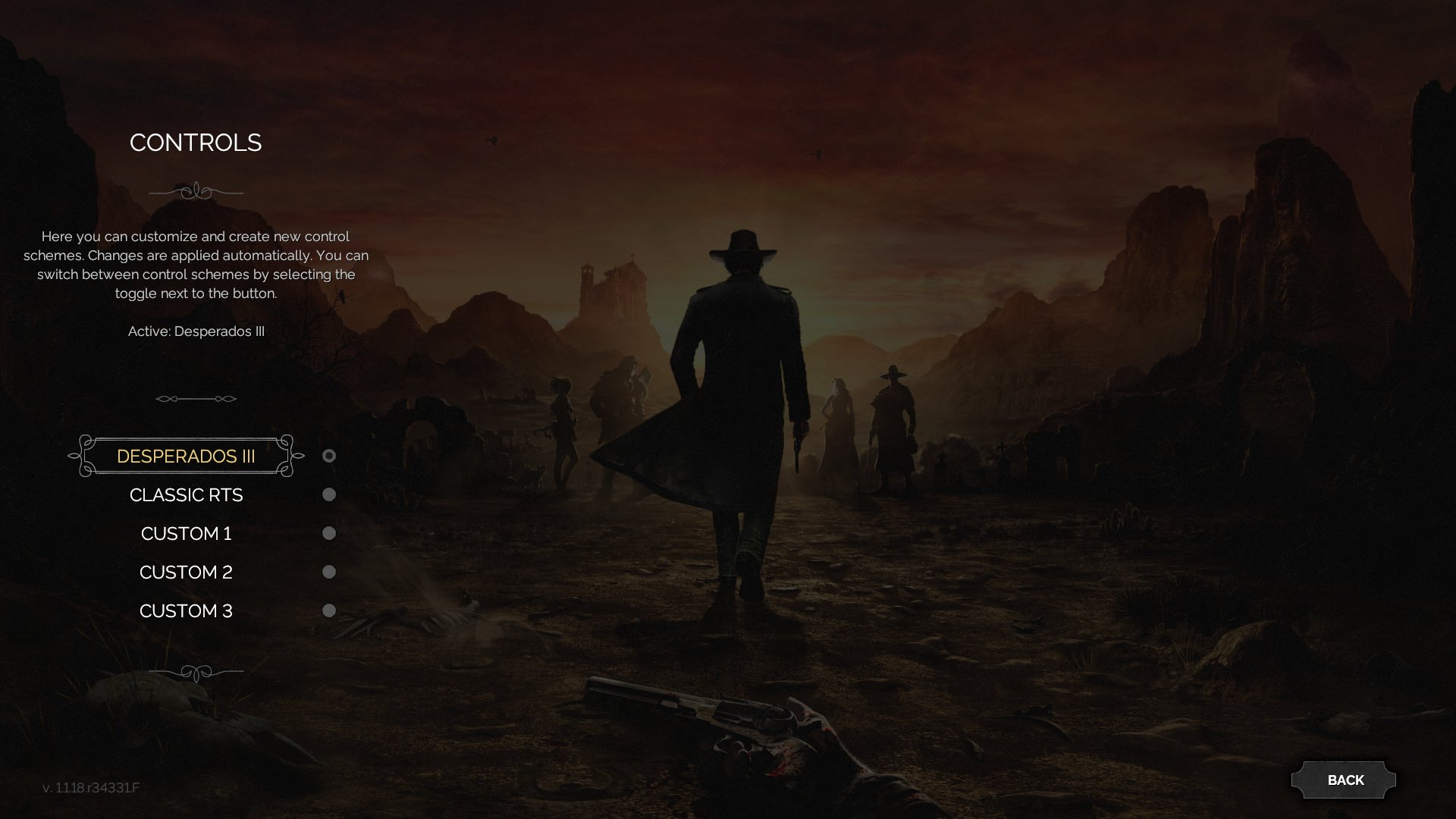
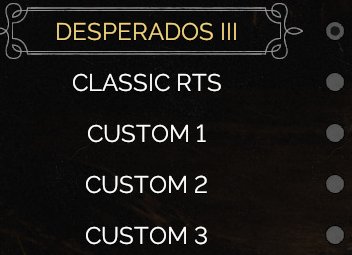
The first controls view focuses on preset and custom schemes. The CONTROLS heading, explanatory copy, and Active: Desperados III label sit above a vertical list of layouts. DESPERADOS III is highlighted with a decorative gold frame, while CLASSIC RTS and custom slots appear as dimmer alternatives with circular selection indicators.
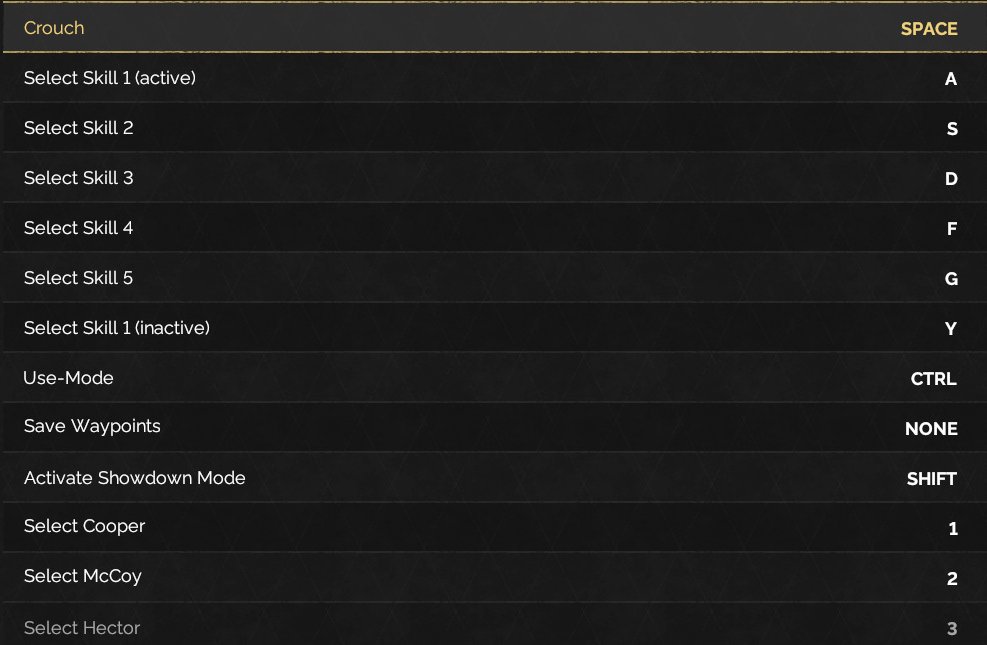
Opening a scheme reveals the key-binding editor. The selected scheme title remains at the top of the panel, followed by category tabs such as PLAYER, CAMERA, and GENERAL. The binding list pairs action names on the left with assigned keys on the right, including visible entries for crouch, skill slots, use-mode, waypoint saving, Showdown activation, and character selection.
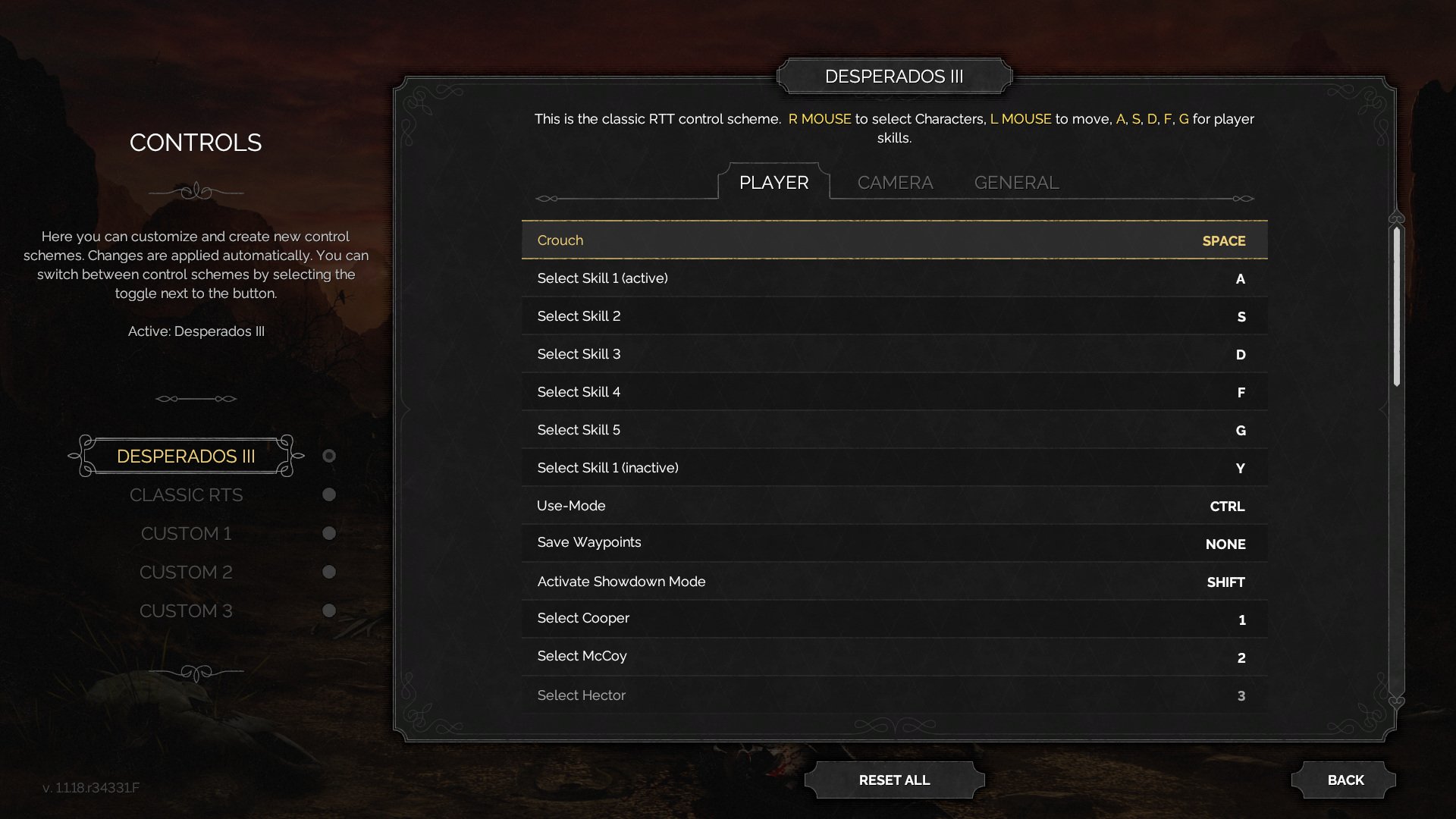
The binding table is optimized for dense scanning: rows are evenly spaced, assigned keys are right-aligned, the focused row uses gold highlighting, and a vertical scrollbar indicates more bindings beyond the visible portion. RESET ALL sits below the editor for restoring assignments, while BACK remains in the lower-right corner for returning to the previous menu.
Job Story
When I am configuring Desperados III controls, I want to select a preset or custom layout and review each action binding by category, so that the control scheme matches how I play tactical missions.
Classification
- diegesis: Non-diegetic
- functional_type: Frontend shell
- component_type: List/grid
Wireframe
+--------------------------------------------------------------------------------+
| CONTROLS                                      [Selected scheme title]           |
| Help text                                     Instruction text                  |
| Active: Desperados III                       +------------------------------+  |
|                                              | PLAYER | CAMERA | GENERAL    |  |
|   [*] DESPERADOS III                         |------------------------------|  |
|   [ ] CLASSIC RTS                            | Crouch                  SPACE|  |
|   [ ] CUSTOM 1                               | Select Skill 1            A  |  |
|   [ ] CUSTOM 2                               | Select Skill 2            S  |  |
|   [ ] CUSTOM 3                               | ...                     ...  |  |
|                                              |                         [||] |  |
|                                              +------------------------------+  |
|                                                   [RESET ALL]          [BACK]  |
+--------------------------------------------------------------------------------+
Components
- Screen title: CONTROLS.
- Instruction copy explaining customization and automatic application.
- Active scheme label.
- Scheme list rows: DESPERADOS III, CLASSIC RTS, CUSTOM 1, CUSTOM 2, CUSTOM 3.
- Radio-style selection indicators for schemes.
- Decorative selected-row frame for the active scheme.
- Binding editor panel.
- Scheme title header.
- Category tabs: PLAYER, CAMERA, GENERAL.
- Binding table rows with action label and assigned key.
- Scrollbar for long binding lists.
- RESET ALL button.
- BACK button.
Parameters & Audio
| Parameter | Value | Type | Notes |
|---|---|---|---|
| Visual focus uses gold text, gold horizontal rules, and a darker row highlight. | Visual focus uses gold text, gold horizontal rules, and a darker row highlight. | Text | — |
| Selected scheme uses a decorative frame and brighter text than inactive schemes. | Selected scheme uses a decorative frame and brighter text than inactive schemes. | Text | — |
| Inactive schemes are dimmed while retaining readable labels and radio markers. | Inactive schemes are dimmed while retaining readable labels and radio markers. | Text | — |
| The binding editor overlays the same dark Western background rather than switching to a separate flat settings page. | The binding editor overlays the same dark Western background rather than switching to a separate flat settings page. | Text | — |
| Audio feedback is not visible in the source material; verify hover, select, reset, and back sounds in-game if audio behavior is required. | Audio feedback is not visible in the source material; verify hover, select, reset, and back sounds in-game if audio behavior is required. | Text | — |
Dependencies & Logic
- Requires the game's input-binding system to expose action names, category groupings, and assigned key labels.
- Depends on a persisted selected control scheme, including default and custom scheme slots.
- Depends on rebind/reset logic for editing or restoring bindings.
- Binding content maps to core gameplay systems: movement/crouch, character selection, skill slots, waypoint saving, use-mode, and Showdown activation.
- The scroll position and selected row must remain synchronized with the visible binding list.
BDD Scenarios
Scenario: Select a control scheme
- Given
- the player is on the Controls screen
- When
- the player selects `Classic RTS` or a custom scheme from the scheme list
- Then
- the selected scheme becomes the active control layout
Scenario: Inspect player bindings
- Given
- the player has opened the `Desperados III` control scheme
- When
- the `PLAYER` tab is selected
- Then
- the binding editor lists player actions with assigned keys in a two-column table
Scenario: Focus a binding row
- Given
- the binding editor is visible
- When
- the player moves focus to a binding row
- Then
- that row is visually highlighted with gold focus styling
Scenario: Reset bindings
- Given
- the binding editor is visible
- When
- the player activates `RESET ALL`
- Then
- the selected scheme's bindings are restored to their default assignments
Scenario: Leave controls
- Given
- the player is on the Controls screen
- When
- the player activates `BACK`
- Then
- the UI returns to the previous settings or options screen
Edge Cases
- Long binding categories must remain scrollable and keep the selected row visible.
- Duplicate or invalid bindings should be handled by the input-binding system before accepting a changed key.
- Resetting should not leave the table in a partially updated visual state.
- Custom scheme slots need clear active-state feedback after edits are applied automatically.
- Keyboard/mouse labels must remain legible in the right-aligned column at different localizations and resolutions.
QA Notes
- Verify that selecting each scheme updates the Active: label and radio indicator.
- Verify that all category tabs display the correct binding rows.
- Verify that row focus, scrollbar position, and assigned key labels remain aligned while scrolling.
- Verify that RESET ALL restores defaults for the active scheme without changing unrelated custom schemes.
- Verify that BACK consistently returns to the prior settings/menu screen.
- Verify localized action names and key labels do not overflow the table columns.
References
- 1.
Desperados III (L82-94 of 283)
- 2.
- 3.