
Ability Command Bar
Shadow Tactics: Blades of the Shogun
- Status
- Released
- Year
- 2016
- Genre
- Indie, Strategy
- Platforms
- Windows, macOS, Linux
1. Summary
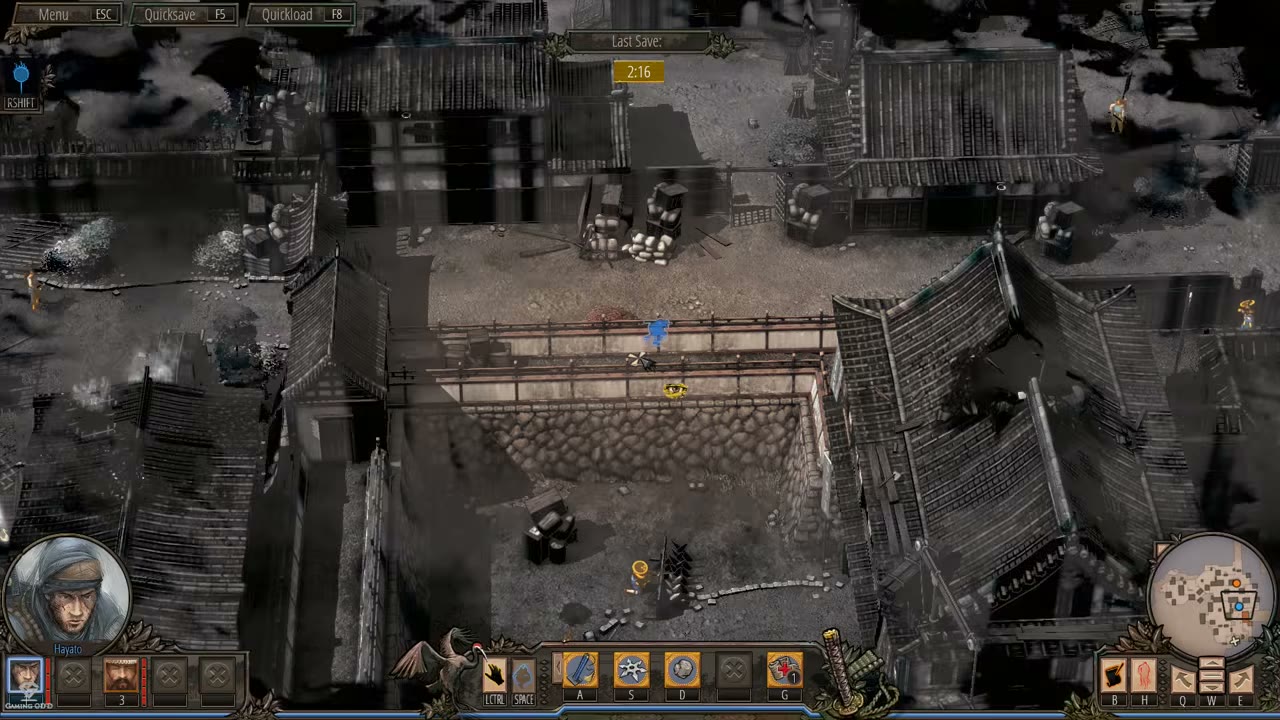
The Ability Command Bar is a non-diegetic HUD element anchored at the bottom center of the screen during active missions. It displays the currently selected character's four active abilities as icon buttons mapped to hotkeys A/S/D/F, enabling the player to quickly arm and execute tactical actions such as melee takedowns, ranged attacks, distractions, traps, and disguises. The bar updates dynamically when switching characters or when abilities become unavailable due to cooldowns, resource depletion, or state restrictions.
Overview
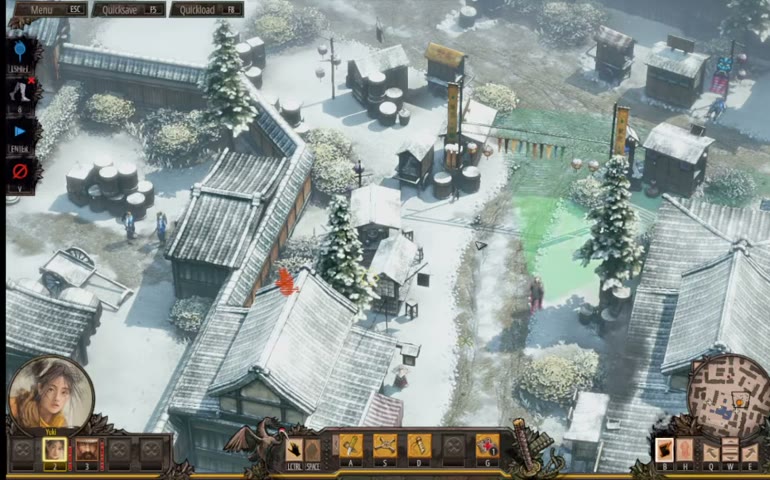
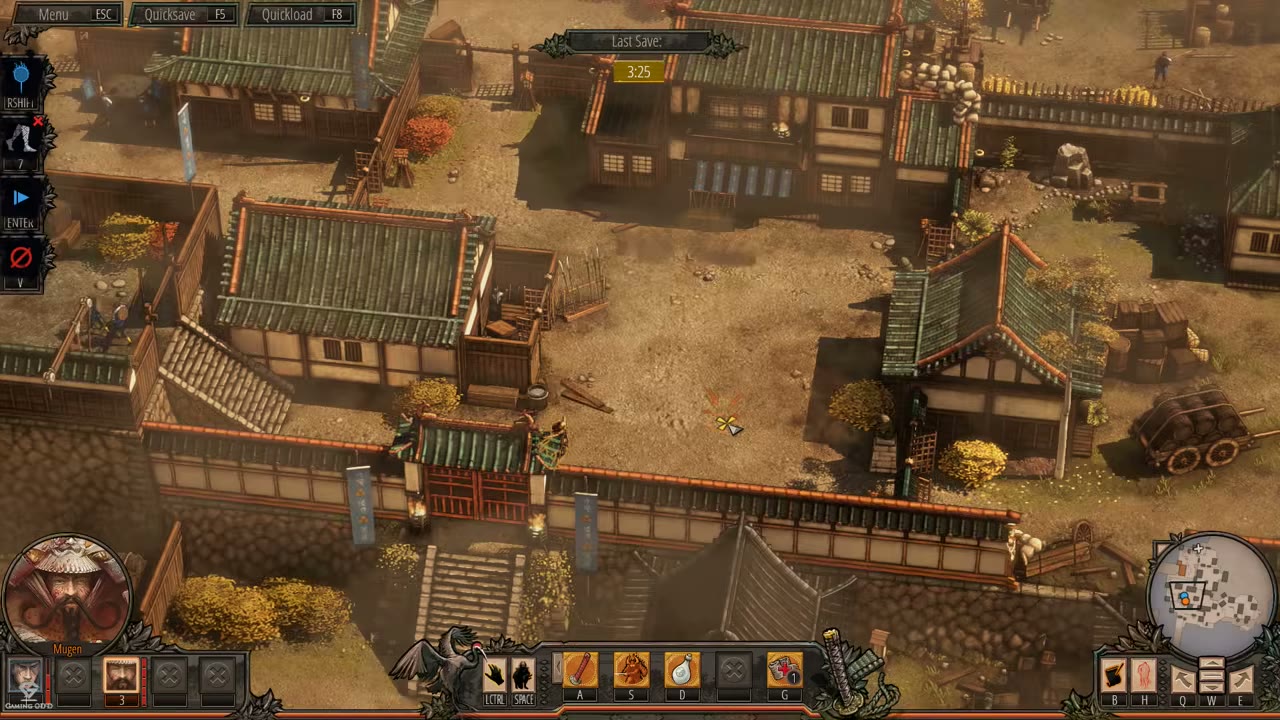
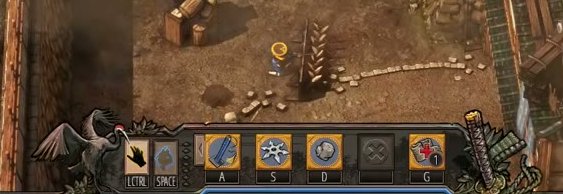
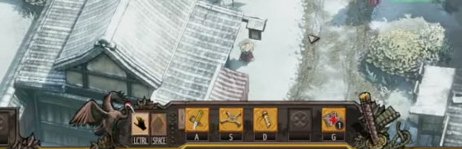
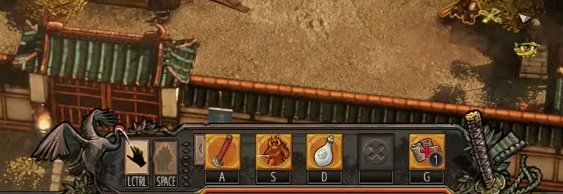
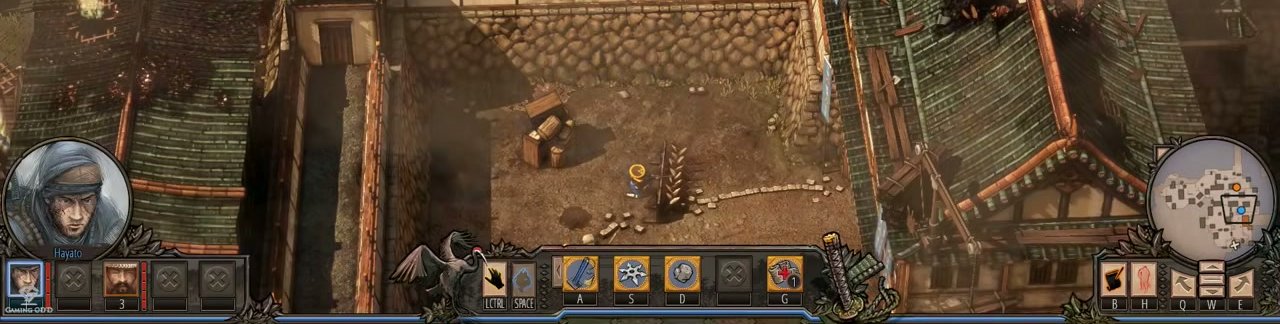
The Ability Command Bar is a non-diegetic HUD toolbar anchored at the bottom center of the screen during active missions. It displays the currently selected character’s four active abilities as square icon buttons, each mapped to a fixed hotkey (A, S, D, F). The bar also includes context actions for sneak (LCTRL) and jump/climb (SPACE) on the left, and the Shadow Mode trigger (G) on the right. The command set updates dynamically when switching characters or when abilities become unavailable due to cooldowns, resource depletion, or character state restrictions.
The bar is visually framed by decorative ornamental wing-like elements on both ends, integrating it into the larger Bottom Gameplay HUD Bar. Each ability icon is accompanied by a small hotkey label beneath it. When an ability requires target selection (e.g., placing a trap, throwing a shuriken), clicking the icon or pressing the hotkey arms the ability and changes the cursor to a targeting reticle.
Job Story
When the player has selected a character and needs to execute a tactical action during a mission, they want to see all available abilities at a glance with their corresponding hotkeys, so that they can quickly arm the right tool or attack without opening a separate menu or memorizing every keybind.
Classification
- diegesis: Non-diegetic
- functional_type: HUD
Wireframe
+------------------------------------------------------------------+
|  [LCTRL]  [SPACE]  [A]  [S]  [D]  [F]  [G]                     |
|   icon     icon    icon icon icon icon icon                     |
|  sneak    jump   atk1 atk2 atk3 atk4  shadow                    |
+------------------------------------------------------------------+
The bar is centered horizontally at the bottom edge of the viewport. It sits inside the larger Bottom Gameplay HUD Bar. Each ability slot is a square icon button with a hotkey label beneath it. Decorative ornamental wings flank the left and right ends of the icon row.
Components
- Ability Icon Slots (4): Square buttons displaying the ability icon (e.g., sword, shuriken, sake bottle, trap). Each shows the bound hotkey (A/S/D/F) below the icon.
- Left Context Actions: LCTRL (sneak/crouch) and SPACE (jump/climb) icons that flank the ability row on the left.
- Shadow Mode Trigger (G): A distinct icon on the far right of the bar used to enter Shadow Mode for coordinated multi-character planning.
- Decorative Frame: Ornamental wing-like elements on the left and right edges of the bar that visually integrate it with the bottom HUD.
- Hotkey Labels: Small text beneath each icon indicating the keyboard shortcut (A, S, D, F, G, LCTRL, SPACE).
- Unavailable State Overlay: Dimmed or grayed-out icon with a cooldown timer or charge counter when an ability is on cooldown or out of resources.
Parameters & Audio
| Parameter | Value | Type | Notes |
|---|---|---|---|
| Ability Select | Subtle wooden click or parchment rustle when hovering or selecting an ability icon. | Text | — |
| Ability Armed | A brief, sharp tone or blade-unsheathing sound when an ability requiring target selection is armed (e.g., ranged attack, trap placement). | Text | — |
| Ability Executed | Character-specific vocalization or ability sound effect (e.g., shuriken throw, sword slash, trap snap). | Text | — |
| Unavailable Feedback | A dull thud or muted click when attempting to use an ability on cooldown or without resources. | Text | — |
| Cooldown Expired | A soft chime or icon flash when an ability comes off cooldown. | Text | — |
| Shadow Mode Toggle | A distinct, atmospheric sound cue when pressing G to enter or exit Shadow Mode. | Text | — |
Dependencies & Logic
- Selected Character: The bar's contents are entirely determined by which character is currently selected.
- Character State: Abilities may be unavailable while climbing, swimming, carrying a body, or in disguise (disguise breaks on attack/climb/swim).
- Cooldown & Resource State: Each ability slot reflects whether the ability is ready, on cooldown, or out of charges/ammunition.
- Campaign Progression: Firearm abilities remain locked until the designated campaign unlock flag is active.
- Environmental State: Some abilities require specific terrain (e.g., flat ground for traps, grappling hook rings for hook ability).
- Mission Squad Composition: Only abilities for characters present in the current mission are available.
BDD Scenarios
Scenario: Character switch updates ability bar
- Given
- the player is in an active mission with Hayato selected
- When
- the player clicks on Yuki's portrait in the Character Portrait And Selection Panel
- Then
- the Ability Command Bar updates within one frame to show Yuki's four abilities
Scenario: Ability activation by hotkey
- Given
- the player has Hayato selected and his sword ability is off cooldown
- When
- the player presses the A key
- Then
- Hayato performs a melee takedown on the nearest valid target within range
Scenario: Ability requiring target selection
- Given
- the player has Yuki selected and her trap ability is available
- When
- the player presses the D key
- Then
- the cursor changes to a targeting reticle and a valid-placement preview appears on the ground
Scenario: Cooldown prevents ability use
- Given
- the player has Mugen selected and his Sword Wind ability was recently used
- When
- the player presses the S key while the ability is on cooldown
- Then
- the ability does not execute and an unavailable feedback sound plays
Scenario: Shadow Mode activation
- Given
- the player has a character selected and Shadow Mode is available
- When
- the player presses the G key
- Then
- the game enters Shadow Mode and the command bar remains visible for planning queued actions
Edge Cases
- Player attempts to use an ability while the character is climbing, swimming, or carrying a body — the input is ignored.
- Ability is armed but the target dies before execution (e.g., another squad member kills the target first) — the ability cancels and the cursor returns to normal.
- Reusable ability item (shuriken, sake bottle, trap) lands in an unreachable location — the ability slot shows as unavailable until the item is retrieved.
- Trap is placed in an enemy's vision cone — enemies spot it and avoid it; the trap is wasted.
- Disguise is broken by environmental interaction (climbing, entering water) while an ability is armed — the ability cancels and the bar updates to reflect the lost disguise.
- Samurai sees through a disguise and attacks — the player may attempt to use an ability while staggered or mid-detection, which should be blocked.
- Shadow Mode is activated while an ability is armed — the armed ability state should be preserved or gracefully cancelled depending on implementation.
- All characters in the squad are incapacitated — the command bar is either empty or hidden until a reload.
- Firearm ability is selected before campaign unlock — the slot is either hidden or permanently grayed out.
QA Notes
- Verify the Ability Command Bar updates within 1 frame when switching characters.
- Verify all 5 characters display exactly 4 abilities mapped to A/S/D/F.
- Verify hotkey labels (A, S, D, F, G, LCTRL, SPACE) are legible and correctly positioned beneath each icon.
- Verify unavailable abilities (cooldown, out of resources, state-blocked) are visually distinct (dimmed, with timer or charge counter).
- Verify clicking an ability icon and pressing its hotkey produce identical results.
- Verify the Shadow Mode button (G) is only visible/active when Shadow Mode is available in the current mission.
- Verify the bar is hidden or empty during cutscenes, dialogue, and menu screens.
- Verify ability targeting previews (range circles, placement shadows) render correctly over the isometric world.
- Verify audio feedback plays for selection, arming, execution, and unavailable states.
- Verify the bar scales correctly at different screen resolutions and aspect ratios without clipping icons.
Mechanic Links
- Character Ability System - The bar displays the four active abilities from the Character Ability System
- Normal Guards - Ability Command Bar provides the player actions used to distract, lure, neutralize, or coordinate solutions against Normal Guards.
- Samurai - The Ability Command Bar exposes the anti-Samurai tools and invalid/available ability states, including melee, firearm, hand cannon, rifle, grenade, and distraction abilities.
- Four-Slot Ability Binding Framework - The Ability Command Bar is the HUD surface that displays and activates the four ability slots with hotkey labels.
- Melee Takedown Variations - The Ability Command Bar exposes the current character's A-slot melee takedown variant, including the absence or replacement of that slot for characters without a melee takedown.
- Ranged Elimination Abilities - The ability command bar exposes ranged ability icons, slot bindings, ammo/readiness state, and selection input for projectile, firearm, and scoped-shot commands.
- Sound-Based Distraction Abilities - The Ability Command Bar exposes distraction abilities as character ability icons with hotkey labels, availability state, and targeting activation.
- Area-of-Effect Crowd Control Attack - The Ability Command Bar exposes the S-slot Sword Wind command, shows targeting and availability, and communicates cooldown/unavailable state after use.
- Disguise and Social Infiltration System - The Ability Command Bar exposes the disguise/conversation command, communicates availability after clothing is acquired, and should reflect unavailable or broken-disguise states.
- Deployable Pressure Trap Mechanic - The ability command bar exposes the trap command as an actionable ability slot and communicates whether it is available for placement or unavailable until recovered.
- Companion Command System - The ability command bar exposes the companion ability, its slot, and the follow-up command/toggle used to activate the distraction.
- Single-Use Healing Ability - The Ability Command Bar / gameplay HUD exposes healing as a medical-kit icon with a remaining-use counter and communicates when the one charge is available or spent.
- Vision Cone Debuff Ability - The Ability Command Bar exposes this vision-debuff ability as a selectable/hotkeyed command and reflects availability or targeting state.
References
- 1.
Osaka Castle Mission 1 - Shadow Tactics-Blades of The Shogun (Hardcore) (19:38-20:50)
- 2.
Shadow Tactics Blades of the Shogun PC Gameplay Imai Town (1:03:40-1:04:00)
- 3.
Osaka Castle Mission 1 - Shadow Tactics-Blades of The Shogun (Hardcore) (20:48-20:52)